
/ **
*特定のチャネルを使用して世界に対して光線をトレースし、ブロッキングヒットが見つかった場合に戻ります。
* @paramStart光線の開始位置
* @paramEnd光線の終了位置
* @paramTraceChannelこの光線が含まれる「チャネル」。ヒットするコンポーネントを決定するために使用されます。
* @paramParamsトレースに使用される追加のパラメーター
*このトレースに使用される@paramResponseParam ResponseContainer
* @ returnブロッキングヒットが見つかった場合はTRUE
* /
// LINE TRACE
/**
* Trace a ray against the world using a specific channel and return if a blocking hit is found.
* @param Start Start location of the ray
* @param End End location of the ray
* @param TraceChannel The 'channel' that this ray is in, used to determine which components to hit
* @param Params Additional parameters used for the trace
* @param ResponseParam ResponseContainer to be used for this trace
* @return TRUE if a blocking hit is found
*/
bool LineTraceTestByChannel(const FVector& Start,const FVector& End,ECollisionChannel TraceChannel, const FCollisionQueryParams& Params = FCollisionQueryParams::DefaultQueryParam, const FCollisionResponseParams& ResponseParam = FCollisionResponseParams::DefaultResponseParam) const;
LineTraceSingleByChannel
/ **
*特定のチャネルを使用して世界に対して光線をトレースし、最初のブロッキングヒットを返します
* @paramOutHit最初のブロッキングヒットが見つかりました
* @paramStart光線の開始位置
* @paramEnd光線の終了位置
* @paramTraceChannelこの光線が含まれる「チャネル」。ヒットするコンポーネントを決定するために使用されます。
* @paramParamsトレースに使用される追加のパラメーター
*このトレースに使用される@paramResponseParam ResponseContainer
* @ returnブロッキングヒットが見つかった場合はTRUE
* /
/**
* Trace a ray against the world using a specific channel and return the first blocking hit
* @param OutHit First blocking hit found
* @param Start Start location of the ray
* @param End End location of the ray
* @param TraceChannel The 'channel' that this ray is in, used to determine which components to hit
* @param Params Additional parameters used for the trace
* @param ResponseParam ResponseContainer to be used for this trace
* @return TRUE if a blocking hit is found
*/
bool LineTraceSingleByChannel(struct FHitResult& OutHit,const FVector& Start,const FVector& End,ECollisionChannel TraceChannel,const FCollisionQueryParams& Params = FCollisionQueryParams::DefaultQueryParam, const FCollisionResponseParams& ResponseParam = FCollisionResponseParams::DefaultResponseParam) const;
/ **
*特定のチャネルを使用して世界に対して光線をトレースし、最初のブロッキングヒットを返します
* @paramOutHit最初のブロッキングヒットが見つかりました
* @paramStart光線の開始位置
* @paramEnd光線の終了位置
* @paramTraceChannelこの光線が含まれる「チャネル」。ヒットするコンポーネントを決定するために使用されます。
* @paramParamsトレースに使用される追加のパラメーター
*このトレースに使用される@paramResponseParam ResponseContainer
* @ returnブロッキングヒットが見つかった場合はTRUE
* /
/**
* Trace a ray against the world using a specific channel and return the first blocking hit
* @param OutHit First blocking hit found
* @param Start Start location of the ray
* @param End End location of the ray
* @param TraceChannel The 'channel' that this ray is in, used to determine which components to hit
* @param Params Additional parameters used for the trace
* @param ResponseParam ResponseContainer to be used for this trace
* @return TRUE if a blocking hit is found
*/
bool LineTraceSingleByChannel(struct FHitResult& OutHit,const FVector& Start,const FVector& End,ECollisionChannel TraceChannel,const FCollisionQueryParams& Params = FCollisionQueryParams::DefaultQueryParam, const FCollisionResponseParams& ResponseParam = FCollisionResponseParams::DefaultResponseParam) const;
Gun.hはこんなんで
// Fill out your copyright notice in the Description page of Project Settings.
#pragma once
#include "CoreMinimal.h"
#include "GameFramework/Actor.h"
#include "Gun.generated.h"
UCLASS()
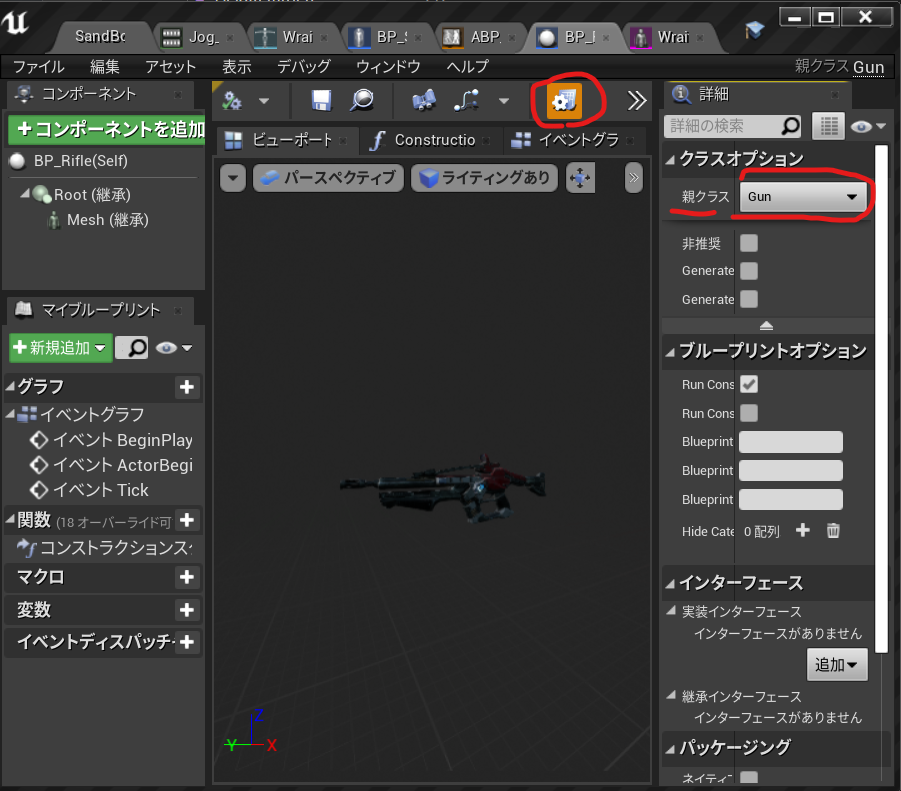
class SIMPLESHOOTERCP2_API AGun : public AActor
{
GENERATED_BODY()
public:
// Sets default values for this actor's properties
AGun();
void PullTrigger();
protected:
// Called when the game starts or when spawned
virtual void BeginPlay() override;
public:
// Called every frame
virtual void Tick(float DeltaTime) override;
private:
UPROPERTY(VisibleAnyWhere)
USceneComponent* Root;
UPROPERTY(VisibleAnyWhere)
USkeletalMeshComponent* Mesh;
UPROPERTY(EditAnyWhere)
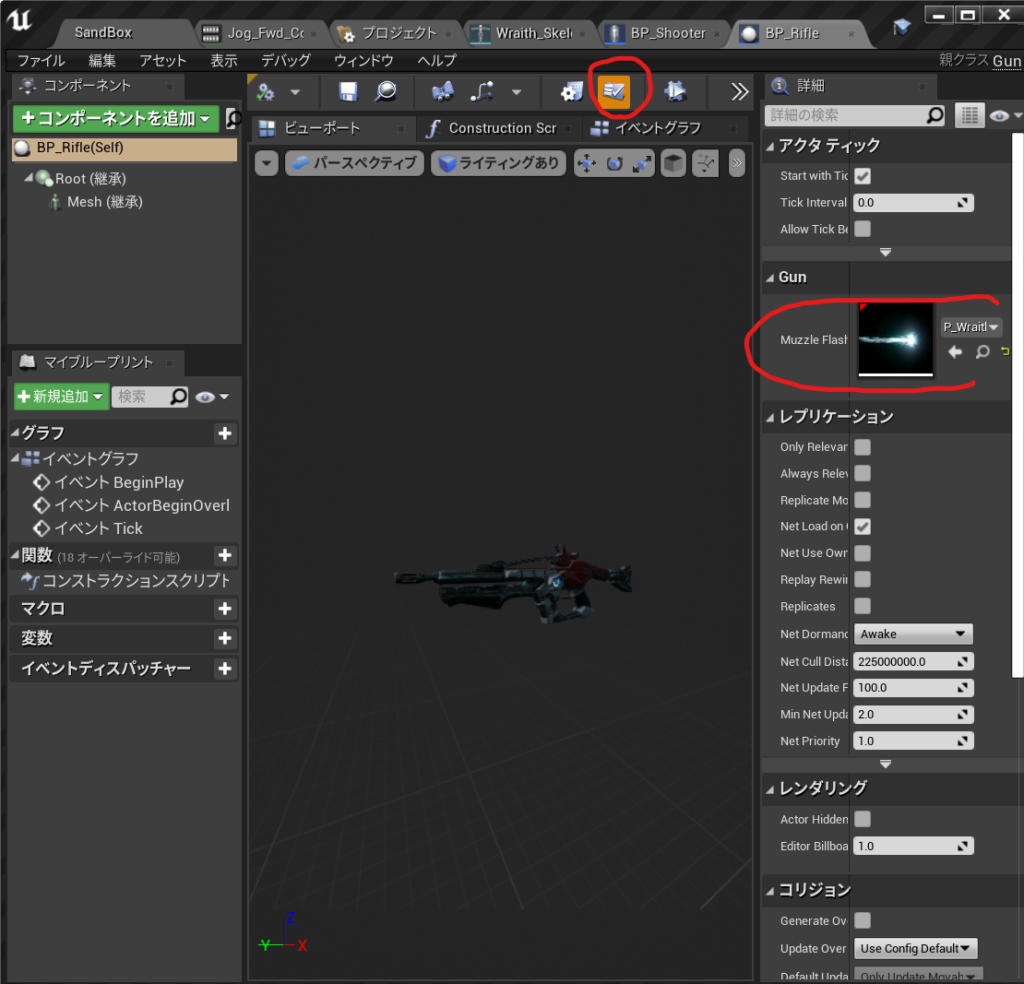
UParticleSystem* MuzzleFlash;
UPROPERTY(EditAnyWhere)
float MaxRange = 1000;
};
Gun.cppはこんな感じになった
// Fill out your copyright notice in the Description page of Project Settings.
#include "Gun.h"
#include "Components/SkeletalMeshComponent.h"
#include "Kismet/GameplayStatics.h"
#include "DrawDebugHelpers.h"
// Sets default values
AGun::AGun()
{
// Set this actor to call Tick() every frame. You can turn this off to improve performance if you don't need it.
PrimaryActorTick.bCanEverTick = true;
Root = CreateDefaultSubobject<USceneComponent>(TEXT("Root"));
SetRootComponent(Root);
Mesh = CreateDefaultSubobject<USkeletalMeshComponent>(TEXT("Mesh"));
Mesh->SetupAttachment(Root);
}
void AGun::PullTrigger()
{
UE_LOG(LogTemp,Warning,TEXT("You have been shot!! "));
//MuzzleFlashSocket
UGameplayStatics::SpawnEmitterAttached(MuzzleFlash, Mesh, TEXT("MuzzleFlashSocket"));
APawn* OwnerPawn = Cast<APawn>(GetOwner());
if(OwnerPawn==nullptr)
{
return;
}
AController* OwnerController= OwnerPawn ->GetController();
if(OwnerController==nullptr)
{
return;
}
FVector Location= OwnerPawn->GetActorLocation();
FRotator Rotation;
OwnerController->GetPlayerViewPoint( Location, Rotation );
FVector End = Location + Rotation.Vector() * MaxRange;
// TOTO: LineTrace
float FOVDeg=90;
float Scale=2.f;
FColor const& Color=FColor::Blue;
bool bPersistentLines=true;
float LifeTime=-1.f;
uint8 DepthPriority = 0;
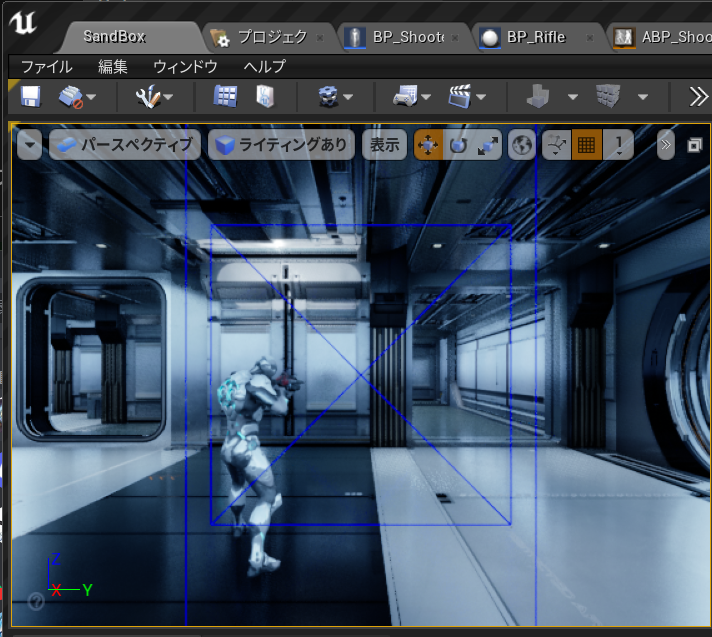
DrawDebugCamera(GetWorld(), Location, Rotation, FOVDeg, Scale, Color, bPersistentLines, LifeTime, DepthPriority);
float Size2 = 20.0;
FColor const& Color2= FColor::Green;
bool bPersistentLines2 = true;
float LifeTime2 = -1.f;
uint8 DepthPriority2 = 0;
//DrawDebugPoint(GetWorld(), Location,Size2 ,Color2 , bPersistentLines2, LifeTime2, DepthPriority2);
DrawDebugPoint(GetWorld(), Location,Size2 ,Color2 , bPersistentLines2);
DrawDebugDirectionalArrow(GetWorld(), Location, End, 3.0, FColor::Blue, bPersistentLines);
FHitResult Hit;
ECollisionChannel TraceChannel = ECollisionChannel::ECC_GameTraceChannel1;
bool bSuuccess = GetWorld()->LineTraceSingleByChannel(Hit,Location,End,TraceChannel);
if(bSuuccess==true)
{
UE_LOG(LogTemp,Warning,TEXT("HitWall!! "));
DrawDebugPoint(GetWorld(), Hit.Location,40.0 ,FColor::Red , bPersistentLines2);
}
DrawDebugPoint(GetWorld(), End,Size2 ,FColor::Red , bPersistentLines2);
}
// Called when the game starts or when spawned
void AGun::BeginPlay()
{
Super::BeginPlay();
}
// Called every frame
void AGun::Tick(float DeltaTime)
{
Super::Tick(DeltaTime);
}
/** * Returns Player’s Point of View * For the AI this means the Pawn’s ‘Eyes’ ViewPoint * For a Human player, this means the Camera’s ViewPoint * * @output out_Location, view location of player * @output out_rotation, view rotation of player */
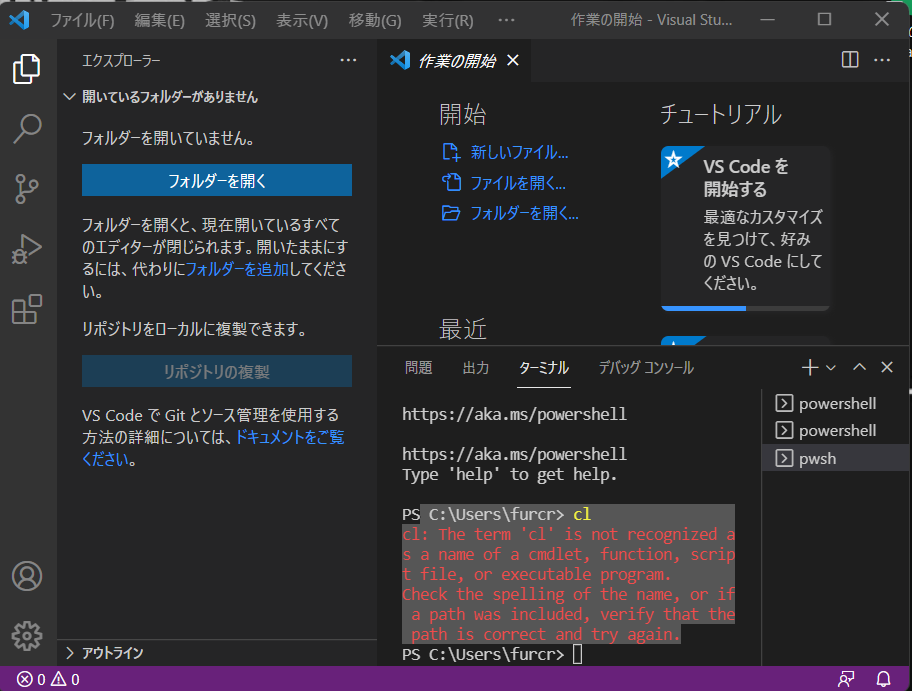
@if NOT "%VSCMD_DEBUG%" GEQ "3" @echo off
@REM If in debug mode, we want to log the environment variable state
@REM prior to VSDevCmd.bat being executed. This is disabled by default
@REM and is enabled by setting [VSCMD_DEBUG] to some value.
if "%VSCMD_DEBUG%" NEQ "" (
@echo [DEBUG:%~n0] Writing pre-initialization environment to %temp%\dd_vsdevcmd16_preinit_env.log
set > %temp%\dd_vsdevcmd16_preinit_env.log
)
@REM Dump the pre-initialization environment if debug level is 2 or greater (detailed or full trace).
if "%VSCMD_DEBUG%" GEQ "2" (
@echo [DEBUG:%~nx0] --------------------- VS Developer Command Prompt Environment [pre-init] ---------------------
set
@echo [DEBUG:%~nx0] --------------------- VS Developer Command Prompt Environment [pre-init] ---------------------
)
@REM script-local error counter
set __vscmd_vsdevcmd_errcount=0
@REM Parse the command line and set variables needed.
@REM Need to use this variable instead of passing arguments to escape
@REM the /? option, which will otherwise display the help for 'call'.
set "__VSCMD_ARGS_LIST=%*"
call "%~dp0vsdevcmd\core\vsdevcmd_start.bat"
set __VSCMD_ARGS_LIST=
@REM if -? was specified, then help was already printed and we can exit.
if "%VSCMD_ARG_HELP%"=="1" goto :end
@REM Set VisualStudioVersion for compatibility with previous revisions of the
@REM VS Developer Command Prompt.
set "VisualStudioVersion=16.0"
@REM set the version number to ensure the banner/logo can print it.
@REM We set the version number to the general VS Version (e.g. 15.0)
@REM but will attempt to get a more specific build number from
@REM devenv.exe, if that file is found.
set "VSCMD_VER=16.0"
call :get_vscmd_ver
call :print_vscmd_header
if "%VSCMD_DEBUG%" GEQ "2" (
@echo [DEBUG:%~nx0] -clean_env : %VSCMD_ARG_CLEAN_ENV%
@echo [DEBUG:%~nx0] -test : %VSCMD_TEST%
@echo [DEBUG:%~nx0] VS160COMNTOOLS : "%VS160COMNTOOLS%"
)
@REM Process scripts 'core' and then 'ext in alphabetical order'.
call :process_core
call :process_ext
@rem Normalize common variables with semi-colon separated lists
call :normalize_multipath_variable PATH
call :normalize_multipath_variable INCLUDE
call :normalize_multipath_variable LIB
call :normalize_multipath_variable LIBPATH
goto :end
@REM ------------------------------------------------------------------------
:process_core
@REM *****************************************************************
@REM This section processes known scripts under vsdevcmd\core.
@REM These scripts must be explicitly included in this section to be
@REM called.
@REM
@REM This section should only contain support for components that
@REM are required by environment scripts (i.e. dependencies). All
@REM leaf node scripts should be placed in vsdevcmd\ext, instead.
@REM *****************************************************************
@REM *** .NET Framework ***
:core_dotnet
if EXIST "%VS160COMNTOOLS%VsDevCmd\core\dotnet.bat" call :call_script_helper core\dotnet.bat
@REM *** msbuild ***
:core_msbuild
if EXIST "%VS160COMNTOOLS%VsDevCmd\core\msbuild.bat" call :call_script_helper core\msbuild.bat
@REM *** Windows SDK ***
:core_winsdk
if EXIST "%VS160COMNTOOLS%VsDevCmd\core\winsdk.bat" call :call_script_helper core\winsdk.bat
exit /B 0
@REM ------------------------------------------------------------------------
:process_ext
if "%VSCMD_ARG_NO_EXT%"=="1" (
if "%VSCMD_DEBUG%" GEQ "1" @echo [DEBUG:%~nx0] Skipping vsdevcmd\ext scripts since -no_ext was specified
goto :ext_end
)
@REM *****************************************************************
@REM This section executes all .bat files found in vsdevcmd\ext.
@REM Any "leaf node" script should be placed in this directory.
@REM A few notes:
@REM * For determinism sake, the scripts are called in alphabetical
@REM order.
@REM * This section does NOT recursively look in sub-directories
@REM under vsdevcmd\ext. Sub-directories may be used for
@REM "implementation detail" scripts called by .bat files in the
@REM vsdevcmd\ext folder.
@REM *****************************************************************
@REM Iterate through ext scripts
if NOT EXIST "%VS160COMNTOOLS%vsdevcmd\ext\" (
@echo [ERROR:%~nx0] Cannot find 'ext' folder "%VS160COMNTOOLS%vsdevcmd\ext\"
set /A __vscmd_vsdevcmd_errcount=__vscmd_vsdevcmd_errcount+1
goto :ext_end
)
for /F %%a in ( 'dir "%VS160COMNTOOLS%vsdevcmd\ext\*.bat" /b /a-d-h /on' ) do (
call :call_script_helper ext\%%a
)
:ext_end
set __vscmd_dir_cmd_opt=
exit /B 0
@REM ------------------------------------------------------------------------
:call_script_helper
if NOT EXIST "%VS160COMNTOOLS%vsdevcmd\%1" (
@echo [ERROR:%~nx0] Script "vsdevcmd\%1" could not be found.
set /A __vscmd_vsdevcmd_errcount=__vscmd_vsdevcmd_errcount+1
exit /B 1
)
if "%VSCMD_TEST%" NEQ "" set __VSCMD_INTERNAL_INIT_STATE=test
if "%VSCMD_ARG_CLEAN_ENV%" NEQ "" set __VSCMD_INTERNAL_INIT_STATE=clean
if "%VSCMD_DEBUG%" GEQ "1" @echo [DEBUG:%~nx0] calling "%1"
call "%VS160COMNTOOLS%vsdevcmd\%1"
set __VSCMD_INTERNAL_INIT_STATE=
if "%ERRORLEVEL%" NEQ "0" (
if "%VSCMD_DEBUG%" NEQ "" @echo [ERROR:%1] init:FAILED code:%ERRORLEVEL%
set /A __vscmd_vsdevcmd_errcount=__vscmd_vsdevcmd_errcount+1
exit /B 1
) else (
if "%VSCMD_DEBUG%" GEQ "1" @echo [DEBUG:%1] init:COMPLETE
)
exit /B 0
:get_vscmd_ver
@REM VsDevCmd.bat location: Microsoft Visual Studio 16.0\Common7\Tools
@REM get version from VsWhere.exe
@REM fallback to printing default
set __VSCMD_VER=
@REM If vswhere.exe is not found we skip this section as it doesn't effect operation.
if NOT EXIST "%ProgramFiles(x86)%\Microsoft Visual Studio\Installer\vswhere.exe" (
if "%VSCMD_DEBUG%" GEQ "2" @echo [DEBUG:%~nx0] "%ProgramFiles(x86)%\Microsoft Visual Studio\Installer\vswhere.exe" not found.
goto:end_vswhere
) else (
set "__vscmd_vswhere_path=%ProgramFiles(x86)%\Microsoft Visual Studio\Installer\"
)
@REM Looking for a line of the form "<semver>+<bld>", so we split the
@REM contents of the line on '+'.
pushd "%__vscmd_vswhere_path%"
for /F "tokens=1,* delims=+" %%A in ('vswhere.exe -property catalog_productSemanticVersion -path "%~dp0%~nx0"') do (
if "%VSCMD_DEBUG%" GEQ "1" @echo [DEBUG:%~nx0] Found version "%%A"
set "__VSCMD_VER=%%A"
)
popd
set __vscmd_vswhere_path=
:end_vswhere
if "%__VSCMD_VER%" == "" (
if "%VSCMD_DEBUG%" GEQ "1" @echo [DEBUG:%~nx0] SemanticVersion not found
) else (
if "%VSCMD_DEBUG%" GEQ "2" @echo [DEBUG:%~nx0] Setting VSCMD_VER="%VSCMD_VER%".
set "VSCMD_VER=%__VSCMD_VER%"
)
:get_vscmd_ver_end
set __VSCMD_VER=
exit /B 0
@REM ------------------------------------------------------------------------
:print_vscmd_header
@REM Allow other Visual Studio developer shells to override just the shell name in the banner text
if "%VSCMD_BANNER_SHELL_NAME_ALT%"=="" (
set "__VSCMD_BANNER_SHELL_NAME=Developer Command Prompt"
) else (
set "__VSCMD_BANNER_SHELL_NAME=%VSCMD_BANNER_SHELL_NAME_ALT%"
)
@REM Allow other Visual Studio command prompts to override the banner text
if "%VSCMD_BANNER_TEXT_ALT%"=="" (
set "__VSCMD_BANNER_TEXT=Visual Studio 2019 %__VSCMD_BANNER_SHELL_NAME% v%VSCMD_VER%"
) else (
set "__VSCMD_BANNER_TEXT=%VSCMD_BANNER_TEXT_ALT%"
)
if "%VSCMD_ARG_no_logo%"=="" (
@echo **********************************************************************
@echo ** %__VSCMD_BANNER_TEXT%
@echo ** Copyright ^(c^) 2021 Microsoft Corporation
@echo **********************************************************************
)
set __VSCMD_BANNER_TEXT=
set __VSCMD_BANNER_SHELL_NAME=
exit /B 0
@REM ------------------------------------------------------------------------
@REM call :normalize_multipath_variable <variable name>
@REM Removes trailing semi-colons from semi-colon separated list variable
:normalize_multipath_variable
set "__NORMALIZE_VAR=%1"
call set "__NORMALIZE_VAR_CONTENT=%%%__NORMALIZE_VAR%%%"
if "%__NORMALIZE_VAR_CONTENT:~-1%"==";" (
set "%__NORMALIZE_VAR%=%__NORMALIZE_VAR_CONTENT:~0,-1%"
)
set "__NORMALIZE_VAR="
set "__NORMALIZE_VAR_CONTENT="
exit /B 0
@REM ------------------------------------------------------------------------
:end
@REM Send Telemetry if user's VS is opted-in
if "%VSCMD_SKIP_SENDTELEMETRY%"=="" (
if "%VSCMD_DEBUG%" NEQ "" (
@echo [DEBUG:%~nx0] Sending telemetry
powershell.exe -NoProfile -Command "& {Import-Module '%~dp0\Microsoft.VisualStudio.DevShell.dll'; Send-VsDevShellTelemetry -NewInstanceType Cmd;}"
) else (
START "" /B powershell.exe -NoProfile -Command "& {if($PSVersionTable.PSVersion.Major -ge 3){Import-Module '%~dp0\Microsoft.VisualStudio.DevShell.dll'; Send-VsDevShellTelemetry -NewInstanceType Cmd; }}" > NUL
)
)
@REM Script clean-up of environment variables used to track
@REM command line options and other state that does not need to
@REM persist past the end of the script.
call "%~dp0vsdevcmd\core\vsdevcmd_end.bat"
if "%__vscmd_vsdevcmd_errcount%" NEQ "0" (
@echo [ERROR:%~nx0] *** VsDevCmd.bat encountered errors. Environment may be incomplete and/or incorrect. ***
@echo [ERROR:%~nx0] In an uninitialized command prompt, please 'set VSCMD_DEBUG=[value]' and then re-run
@echo [ERROR:%~nx0] vsdevcmd.bat [args] for additional details.
@echo [ERROR:%~nx0] Where [value] is:
@echo [ERROR:%~nx0] 1 : basic debug logging
@echo [ERROR:%~nx0] 2 : detailed debug logging
@echo [ERROR:%~nx0] 3 : trace level logging. Redirection of output to a file when using this level is recommended.
@echo [ERROR:%~nx0] Example: set VSCMD_DEBUG=3
@echo [ERROR:%~nx0] vsdevcmd.bat ^> vsdevcmd.trace.txt 2^>^&1
set __vscmd_vsdevcmd_errcount=
call :final_log
exit /B 1
) else (
if "%VSCMD_TEST%" NEQ "" @echo [TEST:%~nx0] *** VsDevCmd.bat tests are complete. ***
)
set __vscmd_vsdevcmd_errcount=
@REM ------------------------------------------------------------------------
:final_log
@REM Dump then environment after execution of vsdevcmd.bat. This is used
@REM for debugging issues with the developer command prompt. This logging
@REM is disabled by default and will only be enabled by setting of [VSCMD_DEBUG]
@REM in the environment
if "%VSCMD_DEBUG%" NEQ "" (
@echo [DEBUG:%~n0] Writing post-execution environment to %temp%\dd_vsdevcmd16_env.log
set > "%temp%\dd_vsdevcmd16_env.log"
)
@REM Dump the post-initialization environment if debug level is 2 or greater (detailed or full trace).
if "%VSCMD_DEBUG%" GEQ "2" (
@echo [DEBUG:%~nx0] --------------------- VS Developer Command Prompt Environment [post-init] ---------------------
set
@echo [DEBUG:%~nx0] --------------------- VS Developer Command Prompt Environment [post-init] ---------------------
)
exit /B 0
レベルエディタのメニューから「ファイル File」> 「新規C++クラス New C++ Class」を選びます。親クラスは Actor にします。ファイル名は SaveToText とします。公開設定はパブリックを選んでおきます。クラス作成ボタンを押すとしばらくのコンパイル時間の後にヘッダファイルと cpp ファイルが作成され、VS が開きます。
C++ のエディタが開いていない場合はコンテンツブラウザの C++ クラス(C++ Classes)フォルダ内にある SaveToText のファイルをダブルクリックします。そして、SaveToText.hと SaveToText.cpp を下記のように書き換えます。
クラス名の自動生成されている部分class ゲーム名_APIは書き換えずにおきます。 class AMBITIONEARLYHOURSKY_API USaveToText : public UBlueprintFunctionLibrary あとは public: の行以下の部分を追加するだけでOKです。
// Fill out your copyright notice in the Description page of Project Settings.
#pragma once
#include "CoreMinimal.h"
#include "GameFramework/Actor.h"
#include "Kismet/BlueprintFunctionLibrary.h"
#include "SaveToText.generated.h"
UCLASS()
class AMBITIONEARLYHOURSKY_API USaveToText : public UBlueprintFunctionLibrary
{
GENERATED_BODY()
public:
UFUNCTION(BlueprintCallable, Category = "save")
static bool FileSaveString(FString SaveTextB, FString FileNameB);
UFUNCTION(BlueprintPure, Category = "save")
static bool FileLoadString(FString FileNameA, FString& SaveTextA);
UFUNCTION(BlueprintCallable, Category = "save")
static FString FileLoadAndReturnString(FString FileNameA);
};