

[Houdini] Houdini Technical Artist HDA related 021
■ 最終形(これが実務ベース)
vector Nn = normalize(@N);

// 傾き制御
vector worldUp = {0,1,0};
Nn = normalize(lerp(worldUp, Nn, 0.3));

// 向き合わせ
matrix3 m = dihedral({0,1,0}, Nn);
p@orient = quaternion(m);

// ランダムひねり
float angle = rand(@ptnum + 10.0) * M_PI * 2;
p@orient = qmultiply(p@orient, quaternion(angle, Nn));

// サイズ
@pscale = fit01(rand(@ptnum), 0.5, 1.5);

// 浮かせる
@P += Nn * (@pscale * 0.5);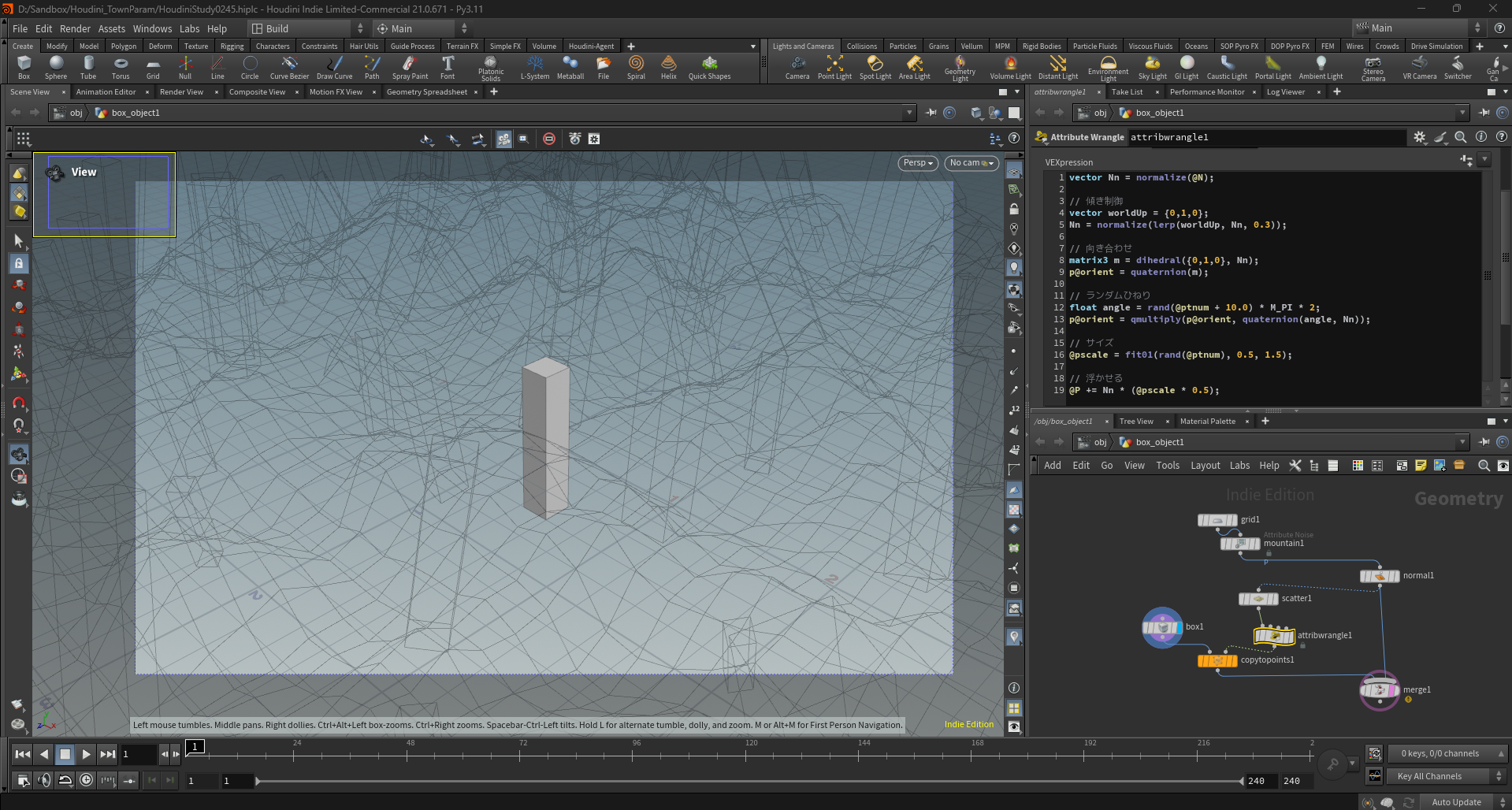
ビューポートの右下の目のアイコンでSmoothShade
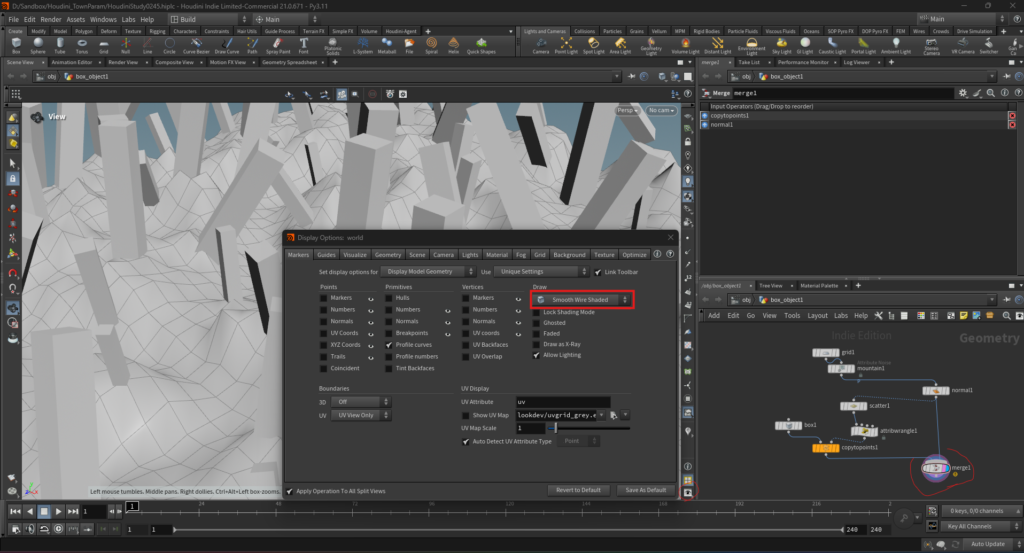
- 地面の傾き ✔
- 棒が法線に沿って傾いてる ✔
- 密度も出てる ✔
- 表示もOK ✔
👉 完全に正しく動いてる
■ (TA的に重要)
👉 これ実は👇
UEのFoliage / HISM配置と同じことやってる
- Scatter → 配置ポイント
- N → Surface Normal
- orient → Transform
- pscale → Scale variation
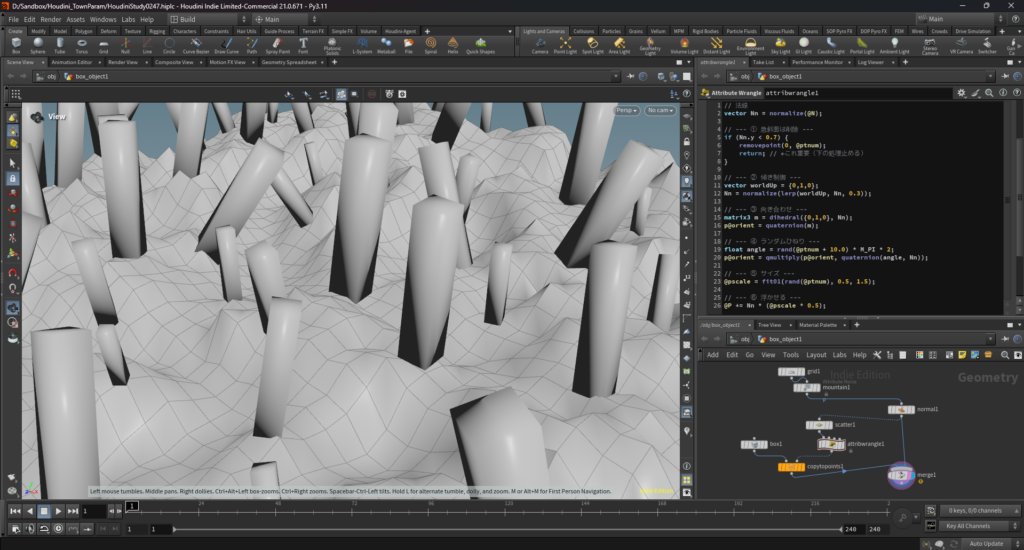
生える場所を制限(超重要)
// 法線
vector Nn = normalize(@N);

// --- ① 急斜面は削除 ---
if (Nn.y < 0.7) {
    removepoint(0, @ptnum);
    return; // ←これ重要(下の処理止める)
}

// --- ② 傾き制御 ---
vector worldUp = {0,1,0};
Nn = normalize(lerp(worldUp, Nn, 0.3));

// --- ③ 向き合わせ ---
matrix3 m = dihedral({0,1,0}, Nn);
p@orient = quaternion(m);

// --- ④ ランダムひねり ---
float angle = rand(@ptnum + 10.0) * M_PI * 2;
p@orient = qmultiply(p@orient, quaternion(angle, Nn));

// --- ⑤ サイズ ---
@pscale = fit01(rand(@ptnum), 0.5, 1.5);

// --- ⑥ 浮かせる ---
@P += Nn * (@pscale * 0.5);- 傾きバラバラ ✔
- サイズバラバラ ✔
- ひねり入ってる ✔
- 急斜面減ってる ✔
👉 完全に意図通り