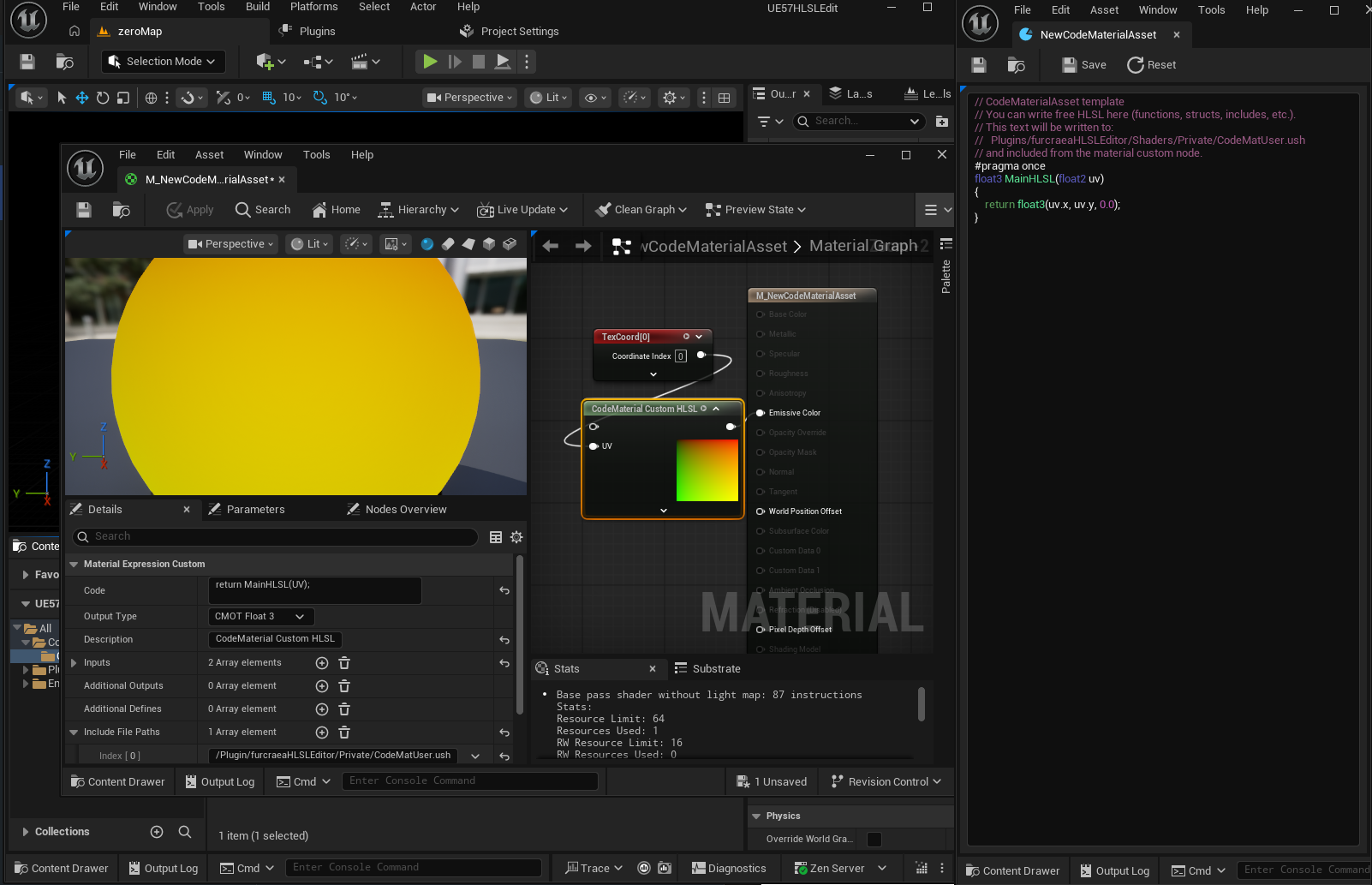
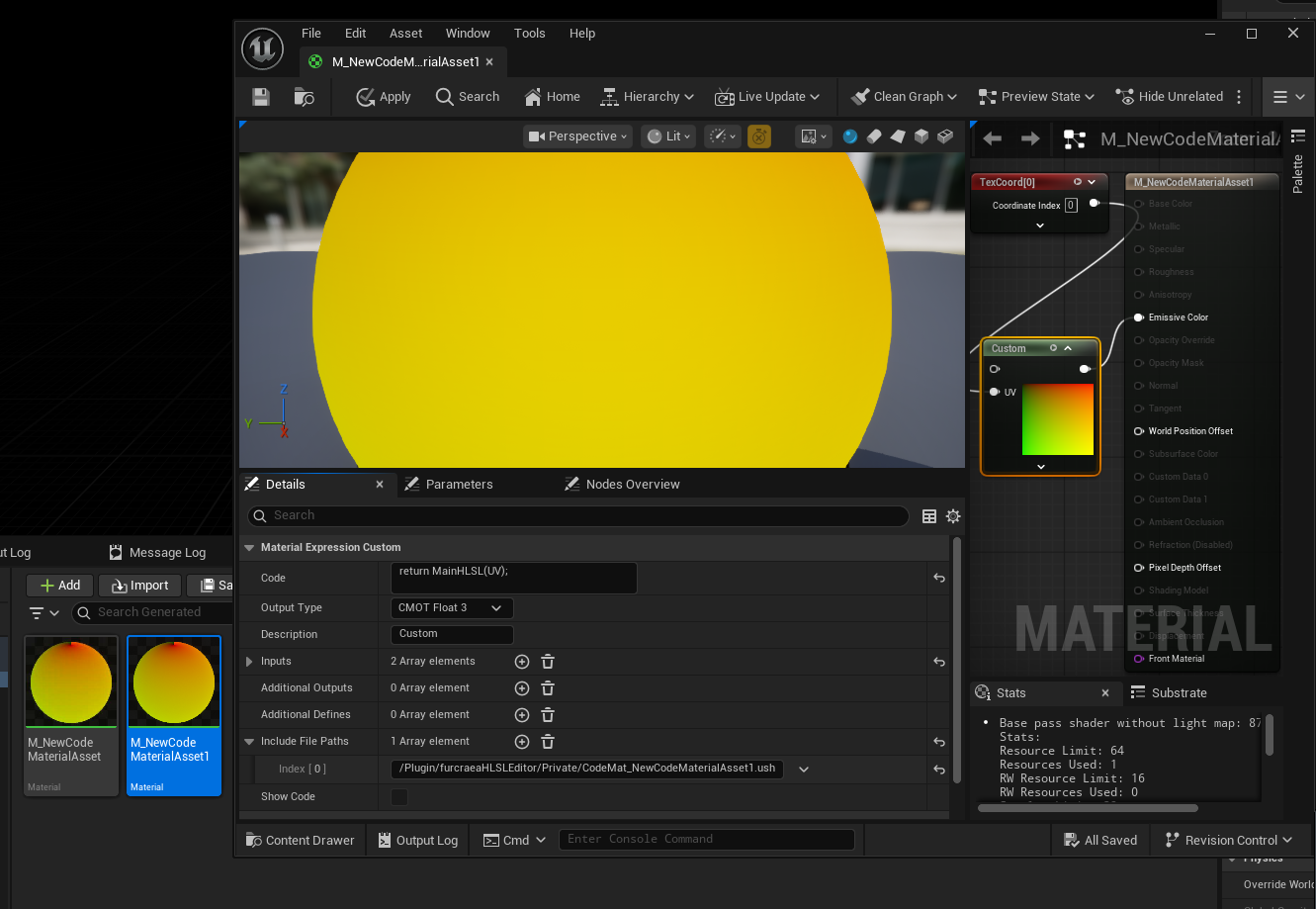
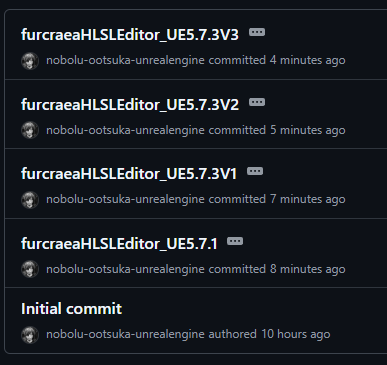
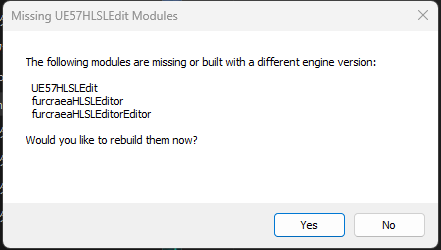
[UE5][C++] The following modules are missing or built with a different engine version: プラグイン名 Would you like to rebuild them now?

出る時の必殺リセット(確実)

UE を閉じてからプロジェクト直下で削除:

Binaries/

Intermediate/

(あれば)Plugins/furcraeaHLSLEditor/Binaries/

(あれば)Plugins/furcraeaHLSLEditor/Intermediate/

その後

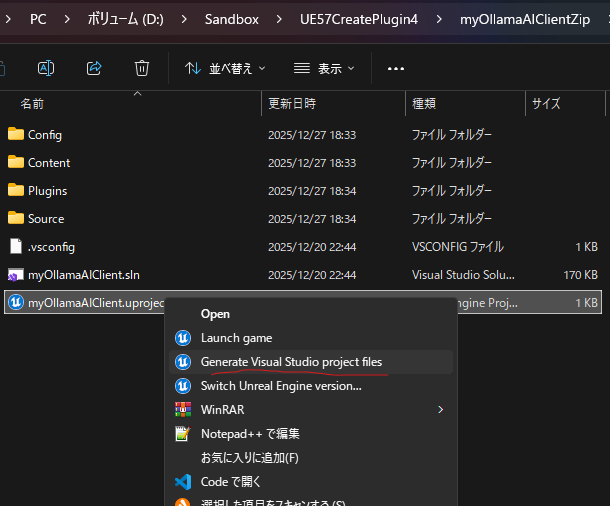
.uproject 右クリック → Generate Visual Studio project files

VS で Development Editor / Win64 で Rebuild

起動

[UE5.7][C++]unrealengine5 C++プロジェクト VisualStudio いらないファイル消す Zipしたい時

これだけにする

プロジェクトフォルダ直下にある以下のフォルダを削除してください。

  • .vs: Visual Studio のキャッシュやユーザー設定が保存されている隠しフォルダ。
  • Binaries: コンパイルされた実行ファイルやライブラリが保存されるフォルダ。
  • Intermediate: ビルドプロセス中の中間ファイルが保存されるフォルダ。
  • Saved: セーブデータ、スクリーンショット、ログ、クラッシュレポートなどが保存されるフォルダ。
  • DerivedDataCache (DDC): エディタがアセットを処理したキャッシュデータが保存されるフォルダ。容量が非常に大きくなることがあります。 

注意点:

  • Content フォルダと .uproject ファイル、Source フォルダ (C++プロジェクトの場合) は絶対に削除しないでください。これらがプロジェクトの本体です。
  • これらのフォルダを削除した後、プロジェクトを開く前にVisual Studioのソリューションをクリーンアップし、必要に応じてソリューションを再生成.uproject ファイルを右クリックし Generate Visual Studio project files を選択)すると、より確実です。
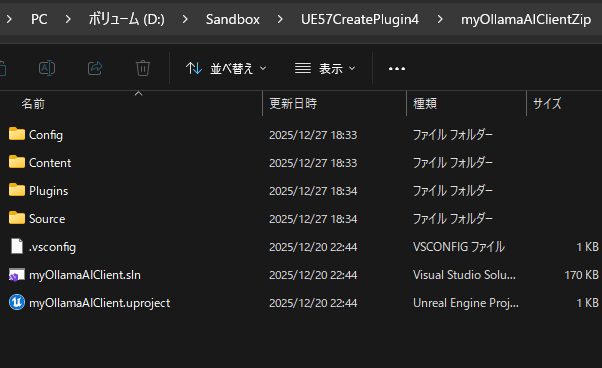
  • その後、残った必要なファイル(ContentSource.uproject.slnConfig など)をZIP圧縮します。

[UE5.7][C++]自宅AI(Ollama)サーバーをUE5のC++プラグインで連携したよ


まず全体全体(おすすめ)

A.別途REST(非ストリーミング)で完了させる

  • UE → AIサーバへHTTP POST
  • AI → 問題JSON
  • UE → UIに反映(UMG)

メリット:実装が簡単/デバッグしやすいプレイ
:とにかくが長いと立つが出る


自宅AI側:エンドポイントの考え方

あなたが今 OpenWebUI を使っているなら、内部のモデル実体はおそらくOllama

  • Ollamaの代表的なAPI(例)
    • 生成:POST /api/generate
    • チャット:POST /api/chat

UEからは「どのURLに投げるか」だけ差し替えできるようにしておくのが正解。


UE5プラグイン設計(ほぼこれを入れる)

1) 設定(プロジェクトの設定を出す)

  • ベースURL(例:http://192.168.1.23:11434
  • モデル名(例:llama3.1
  • タイムアウト秒
  • オプション: API Key(OpenAI互換を使う場合)

UDeveloperSettingsを使うと綺麗。


実装:UE5 C++(RESTで会話させる最小セット)

(1) ビルド.cs

  • "HTTP"、、"Json""JsonUtilities"追加

(2) 送信受信用の構造体(JSON)

  • リクエスト: モデル / プロンプト(またはメッセージ)
  • 応答: 応答(または選択肢)

(3) ブループリント非同期ノード化(UIに優しい)

  • UBlueprintAsyncActionBase
    • OnSuccess
    • OnError
      を吐く

作った全コード

furcraHomeAIServerChat2.Build.cs

// Some copyright should be here...

using UnrealBuildTool;

public class furcraHomeAIServerChat2 : ModuleRules
{
	public furcraHomeAIServerChat2(ReadOnlyTargetRules Target) : base(Target)
	{
		PCHUsage = ModuleRules.PCHUsageMode.UseExplicitOrSharedPCHs;
		
		PublicIncludePaths.AddRange(
			new string[] {
				// ... add public include paths required here ...
			}
			);
			
		
		PrivateIncludePaths.AddRange(
			new string[] {
				// ... add other private include paths required here ...
			}
			);
			
		
		PublicDependencyModuleNames.AddRange(
			new string[]
			{
                "Core", "CoreUObject", "Engine", "UMG","HTTP", "Json", "JsonUtilities"
				// ... add other public dependencies that you statically link with here ...
			}
			);
			
		
		PrivateDependencyModuleNames.AddRange(
			new string[]
			{
				"CoreUObject",
				"Engine",
				"Slate",
				"SlateCore",
				"DeveloperSettings",
				// ... add private dependencies that you statically link with here ...	
			}
			);
		
		
		DynamicallyLoadedModuleNames.AddRange(
			new string[]
			{
				// ... add any modules that your module loads dynamically here ...
			}
			);
	}
}

AiChatTypes.h

// Fill out your copyright notice in the Description page of Project Settings.

#pragma once

#include "CoreMinimal.h"

/**
 * 
 */
class FURCRAHOMEAISERVERCHAT2_API AiChatTypes
{
public:
	AiChatTypes();
	~AiChatTypes();
};


#include "AiChatTypes.generated.h"

USTRUCT(BlueprintType)
struct FAiChatMessage
{
	GENERATED_BODY()

	// "system" | "user" | "assistant"
	UPROPERTY(BlueprintReadWrite, EditAnywhere) FString role;
	UPROPERTY(BlueprintReadWrite, EditAnywhere) FString content;
};

USTRUCT()
struct FOllamaChatRequest
{
	GENERATED_BODY()

	UPROPERTY() FString model;
	UPROPERTY() TArray<FAiChatMessage> messages;
	UPROPERTY() bool stream = false;
};

USTRUCT()
struct FOllamaChatMessage
{
	GENERATED_BODY()

	UPROPERTY() FString role;
	UPROPERTY() FString content;
};

USTRUCT()
struct FOllamaChatResponse
{
	GENERATED_BODY()

	UPROPERTY() FOllamaChatMessage message;
	UPROPERTY() bool done = false;
};

AiChatTypes.cpp

// Fill out your copyright notice in the Description page of Project Settings.


#include "AiChatTypes.h"

AiChatTypes::AiChatTypes()
{
}

AiChatTypes::~AiChatTypes()
{
}


AiLinkAsyncChat.h

// Fill out your copyright notice in the Description page of Project Settings.

#pragma once

#include "CoreMinimal.h"
#include "Kismet/BlueprintAsyncActionBase.h"
#include "AiChatTypes.h"
#include "AiLinkAsyncChat.generated.h"

// Forward declarations for HTTP interfaces to avoid including HTTP headers in this public header
class IHttpRequest;
class IHttpResponse;

using FHttpRequestPtr = TSharedPtr<IHttpRequest, ESPMode::ThreadSafe>;
using FHttpResponsePtr = TSharedPtr<IHttpResponse, ESPMode::ThreadSafe>;

DECLARE_DYNAMIC_MULTICAST_DELEGATE_OneParam(FAiChatSuccess, const FString&, AssistantText);
DECLARE_DYNAMIC_MULTICAST_DELEGATE_OneParam(FAiChatError, const FString&, Error);

UCLASS()
class FURCRAHOMEAISERVERCHAT2_API UAiLinkAsyncChat : public UBlueprintAsyncActionBase
{
	GENERATED_BODY()
public:
	UPROPERTY(BlueprintAssignable) FAiChatSuccess OnSuccess;
	UPROPERTY(BlueprintAssignable) FAiChatError OnError;

	// Messagesは「system + 履歴 + 今回のuser」を含めて渡す
	UFUNCTION(BlueprintCallable, meta = (BlueprintInternalUseOnly = "true"))
	static UAiLinkAsyncChat* SendChat(const TArray<FAiChatMessage>& Messages);

	virtual void Activate() override;

private:
	TArray<FAiChatMessage> MessagesInternal;
	void HandleResponse(FHttpRequestPtr Req, FHttpResponsePtr Resp, bool bOk);
};

AiLinkAsyncChat.cpp

// Fill out your copyright notice in the Description page of Project Settings.


#include "AiLinkAsyncChat.h"

#include "UAiLinkSettings.h"
#include "HttpModule.h"
#include "Interfaces/IHttpRequest.h"
#include "Interfaces/IHttpResponse.h"
#include "JsonObjectConverter.h"

UAiLinkAsyncChat* UAiLinkAsyncChat::SendChat(const TArray<FAiChatMessage>& Messages)
{
	auto* Node = NewObject<UAiLinkAsyncChat>();
	Node->MessagesInternal = Messages;
	return Node;
}

void UAiLinkAsyncChat::Activate()
{
	const UAiLinkSettings* S = GetDefault<UAiLinkSettings>();
	if (!S)
	{
		OnError.Broadcast(TEXT("Settings not found"));
		return;
	}

	const FString Url = S->BaseUrl / TEXT("api/chat");

	FOllamaChatRequest Body;
	Body.model = S->Model;
	Body.messages = MessagesInternal;
	Body.stream = false;

	FString JsonStr;
	if (!FJsonObjectConverter::UStructToJsonObjectString(Body, JsonStr))
	{
		OnError.Broadcast(TEXT("Failed to serialize request JSON"));
		return;
	}

	TSharedRef<IHttpRequest, ESPMode::ThreadSafe> Req = FHttpModule::Get().CreateRequest();
	Req->SetURL(Url);
	Req->SetVerb(TEXT("POST"));
	Req->SetHeader(TEXT("Content-Type"), TEXT("application/json; charset=utf-8"));
	Req->SetTimeout(S->TimeoutSeconds);
	Req->SetContentAsString(JsonStr);

	Req->OnProcessRequestComplete().BindUObject(this, &UAiLinkAsyncChat::HandleResponse);
	Req->ProcessRequest();

	UE_LOG(LogTemp, Warning, TEXT("[AI] Activate() called"));
	UE_LOG(LogTemp, Warning, TEXT("[AI] URL: %s"), *Req->GetURL());
	UE_LOG(LogTemp, Warning, TEXT("[AI] Payload: %s"), *JsonStr);
}

void UAiLinkAsyncChat::HandleResponse(FHttpRequestPtr Req, FHttpResponsePtr Resp, bool bOk)
{
	if (!bOk || !Resp.IsValid())
	{
		OnError.Broadcast(TEXT("HTTP request failed (no response)"));
		return;
	}

	const int32 Code = Resp->GetResponseCode();
	const FString Content = Resp->GetContentAsString();
	UE_LOG(LogTemp, Warning, TEXT("[AI] HTTP %d"), Code);
	UE_LOG(LogTemp, Warning, TEXT("[AI] Body: %s"), *Content);

	UE_LOG(LogTemp, Warning, TEXT("[AI] HandleResponse() called. bOk=%d RespValid=%d"),
		bOk ? 1 : 0, Resp.IsValid() ? 1 : 0);

	if (Resp.IsValid())
	{
		UE_LOG(LogTemp, Warning, TEXT("[AI] HTTP %d"), Resp->GetResponseCode());
		UE_LOG(LogTemp, Warning, TEXT("[AI] Body: %s"), *Resp->GetContentAsString());
	}


	if (Code < 200 || Code >= 300)
	{
		OnError.Broadcast(FString::Printf(TEXT("HTTP %d: %s"), Code, *Content));
		return;
	}

	FOllamaChatResponse Parsed;
	if (!FJsonObjectConverter::JsonObjectStringToUStruct(Content, &Parsed, 0, 0))
	{
		OnError.Broadcast(FString::Printf(TEXT("Failed to parse JSON: %s"), *Content));
		return;
	}

	UE_LOG(LogTemp, Warning, TEXT("[AI] Broadcasting Success: %s"), *Parsed.message.content);
	OnSuccess.Broadcast(Parsed.message.content);

}

AiLinkAsyncGenerate.h

// Fill out your copyright notice in the Description page of Project Settings.

#pragma once

#include "CoreMinimal.h"
#include "Kismet/BlueprintAsyncActionBase.h"
#include "AiLinkRequestTypes.h"
#include "AiLinkAsyncGenerate.generated.h"

// Forward declarations for HTTP interfaces to avoid including HTTP headers in this public header
class IHttpRequest;
class IHttpResponse;

using FHttpRequestPtr = TSharedPtr<IHttpRequest, ESPMode::ThreadSafe>;
using FHttpResponsePtr = TSharedPtr<IHttpResponse, ESPMode::ThreadSafe>;

DECLARE_DYNAMIC_MULTICAST_DELEGATE_OneParam(FAiGenerateSuccess, const FString&, Text);
DECLARE_DYNAMIC_MULTICAST_DELEGATE_OneParam(FAiGenerateError, const FString&, Error);

UCLASS()
class FURCRAHOMEAISERVERCHAT2_API UAiLinkAsyncGenerate : public UBlueprintAsyncActionBase
{
	GENERATED_BODY()
public:
	UPROPERTY(BlueprintAssignable) FAiGenerateSuccess OnSuccess;
	UPROPERTY(BlueprintAssignable) FAiGenerateError OnError;

	UFUNCTION(BlueprintCallable, meta = (BlueprintInternalUseOnly = "true"))
	static UAiLinkAsyncGenerate* GenerateText(const FString& Prompt);

	virtual void Activate() override;

private:
	FString PromptInternal;
	void HandleResponse(FHttpRequestPtr Req, FHttpResponsePtr Resp, bool bOk);
};

AiLinkAsyncGenerate.cpp

// Fill out your copyright notice in the Description page of Project Settings.


#include "AiLinkAsyncGenerate.h"

#include "UAiLinkSettings.h"	
#include "HttpModule.h"
#include "Interfaces/IHttpRequest.h"
#include "Interfaces/IHttpResponse.h"
#include "JsonObjectConverter.h"

UAiLinkAsyncGenerate* UAiLinkAsyncGenerate::GenerateText(const FString& Prompt)
{
	auto* Node = NewObject<UAiLinkAsyncGenerate>();
	Node->PromptInternal = Prompt;
	return Node;
}

void UAiLinkAsyncGenerate::Activate()
{
	const UAiLinkSettings* S = GetDefault<UAiLinkSettings>();
	if (!S)
	{
		OnError.Broadcast(TEXT("Settings not found"));
		return;
	}

	const FString Url = S->BaseUrl / TEXT("api/generate");

	FOllamaGenerateRequest Body;
	Body.model = S->Model;
	Body.prompt = PromptInternal;
	Body.stream = false;

	FString JsonStr;
	if (!FJsonObjectConverter::UStructToJsonObjectString(Body, JsonStr))
	{
		OnError.Broadcast(TEXT("Failed to serialize request JSON"));
		return;
	}

	TSharedRef<IHttpRequest, ESPMode::ThreadSafe> Req = FHttpModule::Get().CreateRequest();
	Req->SetURL(Url);
	Req->SetVerb(TEXT("POST"));
	Req->SetHeader(TEXT("Content-Type"), TEXT("application/json; charset=utf-8"));
	Req->SetTimeout(S->TimeoutSeconds);
	Req->SetContentAsString(JsonStr);

	Req->OnProcessRequestComplete().BindUObject(this, &UAiLinkAsyncGenerate::HandleResponse);
	Req->ProcessRequest();
}

void UAiLinkAsyncGenerate::HandleResponse(FHttpRequestPtr Req, FHttpResponsePtr Resp, bool bOk)
{
	if (!bOk || !Resp.IsValid())
	{
		OnError.Broadcast(TEXT("HTTP request failed (no response)"));
		return;
	}

	const int32 Code = Resp->GetResponseCode();
	const FString Content = Resp->GetContentAsString();

	if (Code < 200 || Code >= 300)
	{
		OnError.Broadcast(FString::Printf(TEXT("HTTP %d: %s"), Code, *Content));
		return;
	}

	FOllamaGenerateResponse Parsed;
	if (!FJsonObjectConverter::JsonObjectStringToUStruct(Content, &Parsed, 0, 0))
	{
		OnError.Broadcast(FString::Printf(TEXT("Failed to parse JSON: %s"), *Content));
		return;
	}

	OnSuccess.Broadcast(Parsed.response);
}

AiLinkRequestTypes.h

// Fill out your copyright notice in the Description page of Project Settings.

#pragma once

#include "CoreMinimal.h"

/**
 * 
 */
class FURCRAHOMEAISERVERCHAT2_API AiLinkRequestTypes
{
public:
	AiLinkRequestTypes();
	~AiLinkRequestTypes();
};


//#pragma once
//#include "CoreMinimal.h"
#include "AiLinkRequestTypes.generated.h"

USTRUCT()
struct FOllamaGenerateRequest
{
	GENERATED_BODY()

	UPROPERTY() FString model;
	UPROPERTY() FString prompt;
	UPROPERTY() bool stream = false;
};

USTRUCT()
struct FOllamaGenerateResponse
{
	GENERATED_BODY()

	UPROPERTY() FString response;
	UPROPERTY() bool done = false;
};

AiLinkRequestTypes.cpp

// Fill out your copyright notice in the Description page of Project Settings.


#include "AiLinkRequestTypes.h"

AiLinkRequestTypes::AiLinkRequestTypes()
{
}

AiLinkRequestTypes::~AiLinkRequestTypes()
{
}

UAiLinkSettings.h

// Fill out your copyright notice in the Description page of Project Settings.

#pragma once

#include "CoreMinimal.h"
#include "Engine/DeveloperSettings.h"
#include "UAiLinkSettings.generated.h"

UCLASS(Config = Game, DefaultConfig, meta = (DisplayName = "Home AI Chat"))
class FURCRAHOMEAISERVERCHAT2_API UAiLinkSettings : public UDeveloperSettings
{
	GENERATED_BODY()

public:
	UPROPERTY(Config, EditAnywhere, Category = "AI")
	FString BaseUrl = TEXT("http://192.168.1.23:11434");

	UPROPERTY(Config, EditAnywhere, Category = "AI")
	//FString Model = TEXT("llama3.1"); 
	//FString Model = TEXT("deepseek-r1:32b");llama3.1:8b
	//FString Model = TEXT("llama3.1:70b");//llama3.1:8b
	FString Model = TEXT("llama3.1:8b");//
	UPROPERTY(Config, EditAnywhere, Category = "AI")
	float TimeoutSeconds = 120.0f;

	// 例: "You are NPC assistant in my game..."
	UPROPERTY(Config, EditAnywhere, Category = "AI")
	FString SystemPrompt = TEXT("You are a helpful in-game NPC. Keep replies concise.");
};

UAiLinkSettings.cpp

// Fill out your copyright notice in the Description page of Project Settings.


#include "UAiLinkSettings.h"

BluePrintはこんなかんじ

以上。

[UE5][CPP]Failed to compile plugin source code. See output log for more information.

Failed to compile plugin source code. See output log for more information.

プラグインのソースコードをコンパイルできませんでした。詳細は出力ログを参照してください。

‘furcraeaUEOpenAI2’ already defines a member called ‘furcraeaUEOpenAI2’ with the same parameter types
Expecting to find a type to be declared in a target rules named ‘furcraeaUEOpenAI2EditorTarget’. This type must derive from the ‘TargetRules’ type defined by UnrealBuildTool.

‘furcraeaUEOpenAI2’ は既に同じパラメータ型を持つ ‘furcraeaUEOpenAI2’ というメンバーを定義しています。
‘furcraeaUEOpenAI2EditorTarget’ というターゲットルールで宣言される型が見つかることを期待しています。この型は、UnrealBuildTool で定義された ‘TargetRules’ 型から派生している必要があります。

【UE5.3】シェーダーファイルのインクルード方法について(Customノード編)についてをやってみた。

こちらの記事を丸っと参考にさせていただいて

【UE5】シェーダーファイルのインクルード方法について(Customノード編)

確認をとった

プロジェクト名はProjects_CustomNode

プロジェクトフォルダの直下にShadersフォルダを作成します。

Glitter.usf


float3 Glitter = float3(0.0,1.0,0.0);

return Glitter;

先ほど作成したシェーダーファイルを適用させるために、Projects_CustomNode.Build.cs に RenderCore を追加します。

// Copyright Epic Games, Inc. All Rights Reserved.

using UnrealBuildTool;

public class Projects_CustomNode : ModuleRules
{
	public Projects_CustomNode(ReadOnlyTargetRules Target) : base(Target)
	{
		PCHUsage = PCHUsageMode.UseExplicitOrSharedPCHs;
	
		PublicDependencyModuleNames.AddRange(new string[] { "Core", "CoreUObject", "Engine", "InputCore","RenderCore" });

		PrivateDependencyModuleNames.AddRange(new string[] {  });

		// Uncomment if you are using Slate UI
		// PrivateDependencyModuleNames.AddRange(new string[] { "Slate", "SlateCore" });
		
		// Uncomment if you are using online features
		// PrivateDependencyModuleNames.Add("OnlineSubsystem");

		// To include OnlineSubsystemSteam, add it to the plugins section in your uproject file with the Enabled attribute set to true
	}
}

Projects_CustomNode.h を開き、新しく “Modules/ModuleManager.h” を インクルードします。
さらに、継承クラスとして FDefaultGameModuleImpl を宣言し、StartupModule関数 と ShutdownModule関数 を一緒にオーバライドします。

// Copyright Epic Games, Inc. All Rights Reserved.

#pragma once

#include "CoreMinimal.h"
#include "Modules/ModuleManager.h"


class FProjects_CustomNodeModule : public FDefaultGameModuleImpl
{
public:
	virtual void StartupModule() override;
	virtual void ShutdownModule() override;
};

Projects_CustomNode.cpp を開き、IMPLEMENT_PRIMARY_GAME_MODULE の最初の引数を Projects_CustomNode.h 側のクラス名に書き換えます。

// Copyright Epic Games, Inc. All Rights Reserved.

#include "Projects_CustomNode.h"
#include "Modules/ModuleManager.h"

void FProjects_CustomNodeModule::StartupModule()
{
	FString ShaderDir = FPaths::Combine(FPaths::ProjectDir(), "Shaders");
	AddShaderSourceDirectoryMapping("/Project", ShaderDir);
}
void FProjects_CustomNodeModule::ShutdownModule()
{
}
IMPLEMENT_PRIMARY_GAME_MODULE(FProjects_CustomNodeModule, Projects_CustomNode, "Projects_CustomNode" );

以上の流れが完了しましたら、一度ビルドを行います。

マテリアル作成しCustomノードのCodeに

#include "/Project/Glitter.usf"
return 0;

と入力したらOKでした。

プロジェクトデータ

https://drive.google.com/file/d/1Ro4pcatwqWKCQ64ZUObSndKtIyagYKE7/view?usp=sharing

[UE554]DLCによる追加キャラコンテンツ配布、ボスキャラDLCの作成のチュートリアルをやってみた。

基本的にこれをやった。

コンテンツ配布、DLC | Unreal Engine 5.5 ドキュメンテーション
https://dev.epicgames.com/documentation/ja-jp/unreal-engine/patching-content-delivery-and-dlc-in-unreal-engine

1,ChungDownloader Plugin を設定する

注意
・プロジェクトを作ったら一度ビルドしないと
[ProjectName]/Source/[ProjectName]Build.cs がない状態になります。

2,チャンク用のアセットを準備する

Primary Asset Label の設定はこれが正しいようだ。

フォルダに置けばディレクトリやファイルのパスの設定は不要の様子

パッケージ化したディレクトリに.pak ファイルができあがった。

Audit

 [Tools] > [Asset Audit] の順にクリックして、[Asset Audit] ウィンドウでチャンクを確認することもできます。

3,ChunkDownloader のマニフェストとアセットをホスティングする

ディスク上のサイズ ではなく ファイル サイズ を使用する

マニフェスト ファイルは、次のとおりです。

BuildManifest-Windows.txt

	$NUM_ENTRIES = 9
	$BUILD_ID = PatchingDemoKey
	pakchunk1001-Windows.ucas	400	ver01	1001	/Windows/pakchunk1001-Windows.ucas
	pakchunk1002-Windows.ucas	400	ver01	1002	/Windows/pakchunk1002-Windows.ucas
	pakchunk1003-Windows.ucas	416	ver01	1003	/Windows/pakchunk1003-Windows.ucas
	pakchunk1001-Windows.utoc	383	ver01	1001	/Windows/pakchunk1001-Windows.utoc
	pakchunk1002-Windows.utoc	383	ver01	1002	/Windows/pakchunk1002-Windows.utoc
	pakchunk1003-Windows.utoc	381	ver01	1003	/Windows/pakchunk1003-Windows.utoc
	pakchunk1001-Windows.pak	339	ver01	1001	/Windows/pakchunk1001-Windows.pak
	pakchunk1002-Windows.pak	339	ver01	1002	/Windows/pakchunk1002-Windows.pak
	pakchunk1003-Windows.pak	339 ver01	1003	/Windows/pakchunk1003-Windows.pak
  • バージョン。これは任意の文字列に設定することができます。
  • インデックス。これは、プライマリ ラベル アセットに使用した チャンク インデックス の値と一致する必要があります。
  • ファイルのパス、マニフェスト ファイルが配置される場所との相対パスです。

このファイル作成が面倒なので、pythonで自動化しました。

参考のエラー

log chunkdownloader: error: manifest parse error at ../../../../../../sandbox/ue554assemanager/010chunkdowloader/patchingdemo 4_6 all2/saved/persistentdownloaddir/pakcache/cachedbuildmanifest.txt:1

参考URL

https://forums.unrealengine.com/t/primaryassetlabel-explicitassets/455608

Project/PatchingDemoKeyAuto_python.py


# 1 BuildManifest-Windows.txt to Auto Coding
#  1-1 Open Dir \Windows\PatchingDemo\Content\Paks
import os

dir_path = "./Windows/PatchingDemo/Content/Paks/"

files = os.listdir(dir_path)
#print(files)
txtData=""
#minus global Line -2
filelength=len(files)-2
#txtData=txtData+"	$NUM_ENTRIES = 9"+"\r\n"
txtData=txtData+"$NUM_ENTRIES = "+str(filelength)+"\r"
txtData=txtData+"$BUILD_ID = PatchingDemoKey"+"\r"  
for filename in files:
    globalFindNum=filename.find('global')
    print("globalFindNum= "+str(globalFindNum))
    if(globalFindNum==0):
        pass
    else:
        endNum=filename.find('-')
        filenum=filename[8:endNum]
        fileSize=os.path.getsize(dir_path+filename)
        windowsPath="/Windows/"+filename
        #print("filename= "+filename+" fileSize= "+str(fileSize))
        tab="\t"
        print(tab+filename+tab+str(fileSize)+tab+"ver01"+tab+filenum+tab+windowsPath)
        txtData=txtData+filename+tab+str(fileSize)+tab+"ver001"+tab+filenum+tab+windowsPath+"\r" 
filePath="./BuildManifest-Windows.txt"
f = open(filePath, 'w', encoding='UTF-8')
f.write(txtData)
f.close()

# 2 copy

起動用バッチファイル

@echo off
set cwdirpath=%~dp0
set pythonpath=D:\Sandbox\python\python-3.12.7\
set codepath=%cwdirpath%\
set pyfile=PatchingDemoKeyAuto_python.py

%pythonpath%python.exe %codepath%%pyfile%
::pause
cmd /k

パッケージ ファイルを「/Windows/PatchingDemo/Content/Paks/」から「PatchingDemoKey」フォルダのマニフェストと一緒に並んでいる「Windows」という名前のサブフォルダ内にコピーします。

・ファイルをローカル テスト サーバーでホスティングする

IISサーバーをオンにするためにWindows エクスプローラーで [Start Menu] を開き、[Turn Windows Features on or off (Windows の機能の有効化または無効化)] を検索して開きます

[Windows Features] メニューで、[Internet Information Services (インターネット情報サービス)] を有効にして [OK] をクリックします。

(IIS Managerを開いて [Directory Browsing (ディレクトリをブラウズ)] を有効にします。

[Add MIME Type] ウィンドウで [File Name extension] を .pak に設定し、[MIME type] を「application/octet-stream」に設定します。.ucas と .utoc にも同様の操作をします。

これにより、IIS はリクエストされると、ただファイルをダウンロードします。

[Default Web Site] フォルダに移動します。デフォルトでは「C:\inetpub\wwwroot」です。フォルダを作成し、「PatchingDemoCDN」という名前を付けます。

PatchingDemoKey」フォルダを「PatchingDemoCDN」にコピーします。

プロジェクトのConfig/ DefaultGame.ini ファイルを開き、次の情報を追加して CDN Base URL を定義します。

[/Script/Plugins.ChunkDownloader PatchingDemoLive]
     +CdnBaseUrls=127.0.0.1/PatchingDemoCDN


この URL は、ファイルが配置されているウェブサイトを ChunkDownloader に示しています。PatchingDemoLive 修飾子により、ターゲットのプラットフォームに応じて様々な CDN デプロイ コンフィギュレーションを使用できます。

アセットをパッケージ ファイルに分割し、ローカル ウェブサイトにステージングできたので、Unreal Engine でパッチ適用ソリューションを使用してアクセスすることができるようになりました。

4,ChunkDownloader をゲームに実装する

 PatchingDemoGameInstance を

ブランクなC++プロジェクトにC++フォルダがない状態で、C++ クラスを作る方法
「Tools」プルダウンメニューから「New C++ Class…」を選択します。
ここで新しいクラスを作成できます。

GameInstance

「PatchingDemoGameInstance」を作成

PatchingDemoGameInstance.h

// Fill out your copyright notice in the Description page of Project Settings.

#pragma once

#include "CoreMinimal.h"
#include "Engine/GameInstance.h"
#include "PatchingDemoGameInstance.generated.h"

DECLARE_DYNAMIC_MULTICAST_DELEGATE_OneParam(FPatchCompleteDelegate, bool, Succeeded);


/**
 * 
 */
UCLASS()
//class UPatchingDemoGameInstance : public UGameInstance
class PATCHINGDEMO_API UPatchingDemoGameInstance :public UGameInstance
{
	GENERATED_BODY()
	public:
        // Overrides
         virtual void Init() override;
         virtual void Shutdown() override;

         UFUNCTION(BlueprintPure, Category = "Patching|Stats")
         void GetLoadingProgress(int32& BytesDownloaded, int32& TotalBytesToDownload, float& DownloadPercent, int32& ChunksMounted, int32& TotalChunksToMount, float& MountPercent) const;	         // Delegates
         
         // Fired when the patching process succeeds or fails
         UPROPERTY(BlueprintAssignable, Category = "Patching");
         FPatchCompleteDelegate OnPatchComplete;

         // Starts the game patching process.Returns false if the patching manifest is not up to date.*/
         UFUNCTION(BlueprintCallable, Category = "Patching")
         bool PatchGame();


    protected:
        //Tracks if our local manifest file is up to date with the one hosted on our website
        bool bIsDownloadManifestUpToDate;

        //Called when the chunk download process finishes
        void OnManifestUpdateComplete(bool bSuccess);

        // List of Chunk IDs to try and download
        UPROPERTY(EditDefaultsOnly, Category = "Patching")
        TArray<int32> ChunkDownloadList;

        // Called when the chunk download process finishes
        void OnDownloadComplete(bool bSuccess);

        // Called whenever ChunkDownloader's loading mode is finished
        void OnLoadingModeComplete(bool bSuccess);

        // Called when ChunkDownloader finishes mounting chunks
        void OnMountComplete(bool bSuccess);
};

PatchingDemoGameInstance.cpp

// Fill out your copyright notice in the Description page of Project Settings.


#include "PatchingDemoGameInstance.h"

#include "ChunkDownloader.h"
#include "Misc/CoreDelegates.h"
#include "AssetRegistry/AssetRegistryModule.h"


void UPatchingDemoGameInstance::Init()
{
    Super::Init();
    const FString DeploymentName = "PatchingDemoLive";
    const FString ContentBuildId = "PatchingDemoKey";

    // initialize the chunk downloader with chosen platform
    TSharedRef<FChunkDownloader> Downloader = FChunkDownloader::GetOrCreate();
    Downloader->Initialize("Windows", 8);

    // load the cached build ID
    Downloader->LoadCachedBuild(DeploymentName);

    // update the build manifest file
    TFunction<void(bool bSuccess)> UpdateCompleteCallback = [&](bool bSuccess) {bIsDownloadManifestUpToDate = true; };
    Downloader->UpdateBuild(DeploymentName, ContentBuildId, UpdateCompleteCallback);
}


void UPatchingDemoGameInstance::Shutdown()
{
    Super::Shutdown();
    // Shut down ChunkDownloader
    FChunkDownloader::Shutdown();
}


void UPatchingDemoGameInstance::OnManifestUpdateComplete(bool bSuccess)
{
    bIsDownloadManifestUpToDate = bSuccess;
}

void UPatchingDemoGameInstance::GetLoadingProgress(int32& BytesDownloaded, int32& TotalBytesToDownload, float& DownloadPercent, int32& ChunksMounted, int32& TotalChunksToMount, float& MountPercent) const
{
    //Get a reference to ChunkDownloader
    TSharedRef<FChunkDownloader> Downloader = FChunkDownloader::GetChecked();

    //Get the loading stats struct
    FChunkDownloader::FStats LoadingStats = Downloader->GetLoadingStats();

    //Get the bytes downloaded and bytes to download
    BytesDownloaded = LoadingStats.BytesDownloaded;
    TotalBytesToDownload = LoadingStats.TotalBytesToDownload;

    //Get the number of chunks mounted and chunks to download
    ChunksMounted = LoadingStats.ChunksMounted;
    TotalChunksToMount = LoadingStats.TotalChunksToMount;

    //Calculate the download and mount percent using the above stats
    DownloadPercent = ((float)BytesDownloaded / (float)TotalBytesToDownload) * 100.0f;
    MountPercent = ((float)ChunksMounted / (float)TotalChunksToMount) * 100.0f;
}

bool UPatchingDemoGameInstance::PatchGame()
{
    // make sure the download manifest is up to date
    if (bIsDownloadManifestUpToDate)
    {
        // get the chunk downloader
        TSharedRef<FChunkDownloader> Downloader = FChunkDownloader::GetChecked();

        // report current chunk status
        for (int32 ChunkID : ChunkDownloadList)
        {
            int32 ChunkStatus = static_cast<int32>(Downloader->GetChunkStatus(ChunkID));
            UE_LOG(LogTemp, Display, TEXT("Chunk %i status:%i"), ChunkID, ChunkStatus);
        }

        TFunction<void(bool bSuccess)> DownloadCompleteCallback = [&](bool bSuccess) {OnDownloadComplete(bSuccess); };
        Downloader->DownloadChunks(ChunkDownloadList, DownloadCompleteCallback, 1);

        // start loading mode
        TFunction<void(bool bSuccess)> LoadingModeCompleteCallback = [&](bool bSuccess) {OnLoadingModeComplete(bSuccess); };
        Downloader->BeginLoadingMode(LoadingModeCompleteCallback);
        return true;
    }

    // you couldn't contact the server to validate your Manifest, so you can't patch
    UE_LOG(LogTemp, Display, TEXT("Manifest Update Failed.Can't patch the game"));

    return false;
}

void UPatchingDemoGameInstance::OnLoadingModeComplete(bool bSuccess)
{
    OnDownloadComplete(bSuccess);
}

void UPatchingDemoGameInstance::OnMountComplete(bool bSuccess)
{
    OnPatchComplete.Broadcast(bSuccess);
}

void UPatchingDemoGameInstance::OnDownloadComplete(bool bSuccess)
{
    if (bSuccess)
    {
        UE_LOG(LogTemp, Display, TEXT("Download complete"));

        // get the chunk downloader
        TSharedRef<FChunkDownloader> Downloader = FChunkDownloader::GetChecked();
        FJsonSerializableArrayInt DownloadedChunks;

        for (int32 ChunkID : ChunkDownloadList)
        {
            DownloadedChunks.Add(ChunkID);
        }

        //Mount the chunks
        TFunction<void(bool bSuccess)> MountCompleteCallback = [&](bool bSuccess) {OnMountComplete(bSuccess); };
        Downloader->MountChunks(DownloadedChunks, MountCompleteCallback);

        OnPatchComplete.Broadcast(true);
    }
    else
    {
        UE_LOG(LogTemp, Display, TEXT("Load process failed"));

        // call the delegate
        OnPatchComplete.Broadcast(false);
    }
}


Unreal Editor で、新規「Blueprints」フォルダを コンテンツ ブラウザ に作成します。次に、ベース クラスとして PatchingDemoGameInstance を使用して 新しいブループリント を作成します。

新しいブループリント クラスの名前を「CDGameInstance」にします。

新しく GameMode ブループリントを PatchingGameMode という名前で作成します。

Maps」フォルダを作成し、次に 2 つの新規レベルで作成します。

PatchingDemoEntry レベルは空のマップをベースに、
PatchingDemoTest レベルはデフォルトのマップ
ベースにする必要があります。

[Project Settings (プロジェクト設定)] を開いて [Project] > [Maps & Modes (マップ & モード)] に移動します。次のパラメータを設定します。

1Game Instance Class (ゲーム インスタンス クラス)CDGameInstance
2Editor Startup Map (エディタのスタートアップ マップ)PatchingDemoTest
3Game Default Map (ゲームのデフォルト マップ)PatchingDemoEntry

CDGameInstance を ブループリント エディタ で開きます。[Details (詳細)] パネルで 3 つのエントリを [Chunk Download List (チャンク ダウンロード リスト)] に追加し、それぞれの値を 100110021003 と入力します。これらがチャンク ID です。

PatchingGameMode を ブループリント エディタ で開き、[EventGraph] に

Bigin Playに

Tickで

ダウンロードしたコンテンツを表示する

キャラクター メッシュを表示するには、それらへの参照を取得する必要があります。このセクションでは、アクタのスポーン方法のシンプルな例を説明します。

  1. PatchingDemoTest レベルを開き、次に レベル ブループリント を開きます。
  2. 新規変数を Meshes という名前で作成します。
    • [Variable Type (変数の型)] には [Skeletal Mesh (スケルタルメッシュ)] を選択します。
    • タイプのリストでエントリにマウスオーバーして [Object Reference (オブジェクト参照)] を選択します。

[Meshes (メッシュ)] の [Variable Type (変数の型)] の隣にあるアイコンをクリックし、[Array (配列)] に変更します。ブループリントをコンパイルして変更を適用します。

[Meshes] の [Default Value (デフォルト値)] に 3 つのエントリを追加し、BorisCrunch、およびKhaimera のスケルタルメッシュを選択します。

レベルの イベントグラフ で BeginPlay

レベル内の Player Start を

位置 (256.0, 400.0, 100.0) に移動します。

回転を(0.0,0.0,-90.0)に回転します。

PatchingDemoEntryレベルのゲームモードオーバーライドをPatchingGameModeにします。

Editorでできた!

1,windowsパッケージ化
2,Project/PatchingDemoKeyAuto_cmd.cmd実行

3,Project/BuildManifest-Windows.txt を

4,C:\inetpub\wwwroot\PatchingDemoCDN\PatchingDemoKey へコピー

5,Project\Windows\PatchingDemo\Content\Paks の内容を全部
6,C:\inetpub\wwwroot\PatchingDemoCDN\PatchingDemoKey\Windowsへ コピー

7,Project/WindowsのPatchingDemo.exeを起動

出た!

管理用 全作業データダウンロード

https://drive.google.com/file/d/1YajdJSvuFCg2lAjnPIcIGXcuFC_oHsVm/view?usp=sharing

[UE554] Asset Managerのアセットの非同期ロード機能について試してみた事

https://youtu.be/8LxNPup4TSo

(BP_NextMapPreloadアクターで)非同期ロードはAsync Load Primary Assetノードでやる。(PrimaryAssetを設定するには下の下の設定が必要)

プロジェクト設定で以下の設定をしてUE再起動すると上画像で選べるようになる。Specific Assetでロードマップを設定しないとパッケージでは動かなかった。

その後BP_NextLevelでOpenLevelする。

できたパッケージのテストがこちら

https://youtu.be/8LxNPup4TSo

[visualstudio][cpp][UE5]UE5 Logic Nightで話題になったイベントディスパッチャーとデリゲートに関する調べものvol.03アニメーション終了時にイベント起こす

エンジンソース的には

D:\Program Files\Epic Games\UE_5.3\Engine\Source\Runtime\Engine\Classes\Animation\AnimInstance.h

// Copyright Epic Games, Inc. All Rights Reserved.

#pragma once

#include "CoreMinimal.h"
//中略
#include "Animation/AnimSubsystemInstance.h"
#include "Animation/AnimSync.h"
#include "Animation/AnimNotifies/AnimNotify.h"
#include "AnimInstance.generated.h"

// Post Compile Validation requires WITH_EDITOR
#define ANIMINST_PostCompileValidation WITH_EDITOR

struct FDisplayDebugManager;
class FDebugDisplayInfo;
class IAnimClassInterface;
class UAnimInstance;
//中略
struct FSmartNameMapping;
struct FAnimNode_LinkedAnimLayer;
struct FNodeDebugData;
enum class ETransitionRequestQueueMode : uint8;
enum class ETransitionRequestOverwriteMode : uint8;
class UAnimMontage;

typedef TArray<FTransform> FTransformArrayA2;

namespace UE::Anim
{
	struct FHeapAttributeContainer;
	using FSlotInertializationRequest = TPair<float, const UBlendProfile*>;
	struct FCurveFilterSettings;
}	// namespace UE::Anim

//中略
//デリゲートのパラメータもらうやつ
DECLARE_DELEGATE_OneParam(FOnMontageStarted, UAnimMontage*)
DECLARE_DELEGATE_TwoParams(FOnMontageEnded, UAnimMontage*, bool /*bInterrupted*/)
DECLARE_DELEGATE_TwoParams(FOnMontageBlendingOutStarted, UAnimMontage*, bool /*bInterrupted*/)
/**
* Delegate for when Montage がスタートした時
*/
DECLARE_DYNAMIC_MULTICAST_DELEGATE_OneParam(FOnMontageStartedMCDelegate, UAnimMontage*, Montage);

/**
* Delegate for when Montage が再生 completedの時,  中断されたかinterrupted or 終了したかfinished
* このモンタージュの重みは 0.f なので、出力ポーズへの寄与は停止します
*
* プロパティが完了していない場合は bInterrupted = true
*/
DECLARE_DYNAMIC_MULTICAST_DELEGATE_TwoParams(FOnMontageEndedMCDelegate, UAnimMontage*, Montage, bool, bInterrupted);

/**すべてのモンタージュインスタンスが終了したときに委任します。 */
DECLARE_DYNAMIC_MULTICAST_DELEGATE(FOnAllMontageInstancesEndedMCDelegate);

/**
モンタージュがブレンドアウトを開始したタイミング(中断または終了)のデリゲート
* このモンタージュの DesiredWeight は 0.f になりますが、これは出力ポーズに引き続き影響します
*
* プロパティが終了していない場合は bInterrupted = true
*/
DECLARE_DYNAMIC_MULTICAST_DELEGATE_TwoParams(FOnMontageBlendingOutStartedMCDelegate, UAnimMontage*, Montage, bool, bInterrupted);

/** ネイティブコードがフックして追加の遷移ロジックを提供できるデリゲート */
DECLARE_DELEGATE_RetVal(bool, FCanTakeTransition);

/** ネイティブコードがフックして状態の開始/終了を処理できるデリゲート */
DECLARE_DELEGATE_ThreeParams(FOnGraphStateChanged, const struct FAnimNode_StateMachine& /*Machine*/, int32 /*PrevStateIndex*/, int32 /*NextStateIndex*/);

/** ユーザーがカスタムアニメーションカーブ値を挿入できるようにするデリゲート - 今のところは単一のみです。これを複数のデリゲートにして値を順番に取得する方法はわかりません。 */
DECLARE_DELEGATE_OneParam(FOnAddCustomAnimationCurves, UAnimInstance*)

/** 「PlayMontageNotify」および「PlayMontageNotifyWindow」によって呼び出されるデリゲート **/
DECLARE_DYNAMIC_MULTICAST_DELEGATE_TwoParams(FPlayMontageAnimNotifyDelegate, FName, NotifyName, const FBranchingPointNotifyPayload&, BranchingPointPayload);


//中略

/** Helper struct to store a Queued Montage BlendingOut event. */
struct FQueuedMontageBlendingOutEvent
{
	TObjectPtr<class UAnimMontage> Montage;
	bool bInterrupted;
	FOnMontageBlendingOutStarted Delegate;

	FQueuedMontageBlendingOutEvent()
		: bInterrupted(false)
	{}

	FQueuedMontageBlendingOutEvent(class UAnimMontage* InMontage, bool InbInterrupted, FOnMontageBlendingOutStarted InDelegate)
		: Montage(InMontage)
		, bInterrupted(InbInterrupted)
		, Delegate(InDelegate)
	{}
};

/** 以下長すぎるので省略 */

	UPROPERTY(BlueprintAssignable)
	FOnMontageStartedMCDelegate OnMontageStarted;

	/** Called when a montage has ended, whether interrupted or finished*/
	UPROPERTY(BlueprintAssignable)
	FOnMontageEndedMCDelegate OnMontageEnded;

デリゲートするとき統一の呪文のパラメータもらうやつ

DECLARE_DELEGATE_OneParam(FOnMontageStarted, UAnimMontage) DECLARE_DELEGATE_TwoParams(FOnMontageEnded, UAnimMontage, bool /bInterrupted/)
DECLARE_DELEGATE_TwoParams(FOnMontageBlendingOutStarted, UAnimMontage, bool /bInterrupted*/)

Montage が再生 completedの時, 中断されたかinterrupted or 終了したかfinished

  • モンタージュが中断または終了したときに委任する
  • このモンタージュの重みは 0.f なので、出力ポーズへの寄与は停止します
  • プロパティが完了していない場合は bInterrupted = true
    / DECLARE_DYNAMIC_MULTICAST_DELEGATE_TwoParams(FOnMontageEndedMCDelegate, UAnimMontage, Montage, bool, bInterrupted);

D:\Program Files\Epic Games\UE_5.3\Engine\Source\Runtime\Engine\Private\Animation\AnimInstance.cpp

//SET
void UAnimInstance::Montage_SetEndDelegate(FOnMontageEnded& InOnMontageEnded, UAnimMontage* Montage)
{
	if (Montage)
	{
		FAnimMontageInstance* MontageInstance = GetActiveInstanceForMontage(Montage);
		if (MontageInstance)
		{
			MontageInstance->OnMontageEnded = InOnMontageEnded;
		}
	}
	else
	{
		// If no Montage reference, do it on all active ones.
		for (int32 InstanceIndex = 0; InstanceIndex < MontageInstances.Num(); InstanceIndex++)
		{
			FAnimMontageInstance* MontageInstance = MontageInstances[InstanceIndex];
			if (MontageInstance && MontageInstance->IsActive())
			{
				MontageInstance->OnMontageEnded = InOnMontageEnded;
			}
		}
	}
}


//GET
FOnMontageEnded* UAnimInstance::Montage_GetEndedDelegate(UAnimMontage* Montage)
{
	if (Montage)
	{
		FAnimMontageInstance* MontageInstance = GetActiveInstanceForMontage(Montage);
		if (MontageInstance)
		{
			return &MontageInstance->OnMontageEnded;
		}
	}
	else
	{
		// If no Montage reference, use first active one found.
		for (int32 InstanceIndex = 0; InstanceIndex < MontageInstances.Num(); InstanceIndex++)
		{
			FAnimMontageInstance* MontageInstance = MontageInstances[InstanceIndex];
			if (MontageInstance && MontageInstance->IsActive())
			{
				return &MontageInstance->OnMontageEnded;
			}
		}
	}

	return nullptr;
}

Montage_SetEndDelegate関数によってSETできるデリゲート

void UAnimInstance::Montage_SetEndDelegate(FOnMontageEnded& InOnMontageEnded, UAnimMontage* Montage)

Montage_GetEndedDelegate関数によってGETできるデリゲート

FOnMontageEnded* UAnimInstance::Montage_GetEndedDelegate(UAnimMontage* Montage)

エンジンソース終わり

使い方

AnimInstanceのイベントディスパッチャーで使うと Bind Event To On Montage Endとなる。

動いた

C++サンプル

.h

// ヘッダー内の関数宣言
void OnAnimationEnded(UAnimMontage* Montage, bool bInterrupted);

.cpp

// 実装内 
// デリゲート FOnMontageEnded型のEndDelegate を宣言 
FOnMontageEnded EndDelegate;
// バインド 
EndDelegate.BindUObject(this, &UMyClass::OnAnimationEnded); 
// 設定 
MyAnimInstance->Montage_SetEndDelegate(EndDelegate);

参考URL

AnimInstance->OnMontageEnd に関数をバインドするにはどうすればよい

https://forums.unrealengine.com/t/how-can-i-bind-a-function-to-animinstance-onmontageend/290717/2

[visualstudio][cpp][UE5]UE5 Logic Nightで話題になったイベントディスパッチャーとデリゲートに関する調べものvol.02エンジンソースで見つけたUnrealEngine C++のデリゲート Oculus の例

.h

D:\Program Files\Epic Games\UE_5.3\Engine\Plugins\Online\OnlineSubsystemOculus\Source\Classes\OculusFindSessionsCallbackProxy.h

ヘッダーでデリゲート変数の型指定してる

FOnFindSessionsCompleteDelegate Delegate; これがデリゲート変数の型指定

ヘッダーでデリゲートハンドルの型指定してる。

//登録された OnFindSessionsComplete デリゲートへのハンドル
FDelegateHandle DelegateHandle;

というのは・・・・

D:\Program Files\Epic Games\UE_5.3\Engine\Plugins\Online\OnlineSubsystem\Source\Public\Interfaces\OnlineSessionDelegates.h

でこのように定義されている

OnlineSessionDelegates.hでの FOnFindSessionsCompleteDelegate の定義

  • オンライン セッションの検索が完了したときに呼び出されるデリゲート
  • @param bWasSuccessful 非同期アクションがエラーなしで完了した場合は true、エラーがあった場合は false

    DECLARE_MULTICAST_DELEGATE_OneParam(FOnFindSessionsComplete, bool);
    typedef FOnFindSessionsComplete::FDelegate FOnFindSessionsCompleteDelegate;

.h 全文

// Copyright Epic Games, Inc. All Rights Reserved.

#pragma once

#include "UObject/Object.h"
#include "Net/OnlineBlueprintCallProxyBase.h"
#include "Interfaces/OnlineSessionInterface.h"
#include "FindSessionsCallbackProxy.h"
#include "OculusFindSessionsCallbackProxy.generated.h"

/**
 * Exposes FindSession of the Platform SDK for blueprint use.
 */
UCLASS(MinimalAPI)
class UOculusFindSessionsCallbackProxy : public UOnlineBlueprintCallProxyBase
{
	GENERATED_UCLASS_BODY()

	// Called when there is a successful query
	UPROPERTY(BlueprintAssignable)
	FBlueprintFindSessionsResultDelegate OnSuccess;

	// Called when there is an unsuccessful query
	UPROPERTY(BlueprintAssignable)
	FBlueprintFindSessionsResultDelegate OnFailure;

	// Searches for matchmaking room sessions with the oculus online subsystem
	UFUNCTION(BlueprintCallable, Category = "Oculus|Session", meta = (BlueprintInternalUseOnly = "true"))
	static UOculusFindSessionsCallbackProxy* FindMatchmakingSessions(int32 MaxResults, FString OculusMatchmakingPool);

	// Searches for moderated room sessions with the oculus online subsystem
	UFUNCTION(BlueprintCallable, Category = "Oculus|Session", meta = (BlueprintInternalUseOnly = "true"))
	static UOculusFindSessionsCallbackProxy* FindModeratedSessions(int32 MaxResults);

	// UOnlineBlueprintCallProxyBase interface
	virtual void Activate() override;
	// End of UOnlineBlueprintCallProxyBase interface

private:
	// Internal callback when the session search completes, calls out to the public success/failure callbacks
	void OnCompleted(bool bSuccess);

private:

	// The delegate executed by the online subsystem
	FOnFindSessionsCompleteDelegate Delegate;//デリゲート宣言

	// Handle to the registered OnFindSessionsComplete delegate
	FDelegateHandle DelegateHandle;//デリゲートハンドル宣言

	// Object to track search results
	TSharedPtr<FOnlineSessionSearch> SearchObject;

	// Maximum number of results to return
	int MaxResults;

	// Optional: if searching within a matchmaking pool
	FString OculusPool;

	bool bSearchModeratedRoomsOnly;
};

CPP

D:\Program Files\Epic Games\UE_5.3\Engine\Plugins\Online\OnlineSubsystemOculus\Source\Private\OculusFindSessionsCallbackProxy.cpp では

デリゲートにOnComplitedをバインドしてる

Super(ObjectInitializer) のあと

Delegate(FOnFindSessionsCompleteDelegate::CreateUObject(this, &ThisClass::OnCompleted))

デリゲートハンドルにDelegateを渡してる。(コールしてる)

if (OculusSessionInterface.IsValid()) のタイミングで

DelegateHandle = OculusSessionInterface->AddOnFindSessionsCompleteDelegate_Handle(Delegate);

// Copyright Epic Games, Inc. All Rights Reserved.

#include "OculusFindSessionsCallbackProxy.h"
#include "OnlineSubsystemOculusPrivate.h"
#include "Online.h"
#include "OnlineSessionInterfaceOculus.h"
#include "OnlineSubsystemOculusPrivate.h"

UOculusFindSessionsCallbackProxy::UOculusFindSessionsCallbackProxy(const FObjectInitializer& ObjectInitializer)
	: Super(ObjectInitializer)
	  , Delegate(FOnFindSessionsCompleteDelegate::CreateUObject(this, &ThisClass::OnCompleted))
	  , MaxResults(0)
	  , bSearchModeratedRoomsOnly(false)
{
//デリゲートにOnComplitedをバインド
}

UOculusFindSessionsCallbackProxy* UOculusFindSessionsCallbackProxy::FindMatchmakingSessions(int32 MaxResults, FString OculusMatchmakingPool)
{
	UOculusFindSessionsCallbackProxy* Proxy = NewObject<UOculusFindSessionsCallbackProxy>();
	Proxy->SetFlags(RF_StrongRefOnFrame);
	Proxy->MaxResults = MaxResults;
	Proxy->OculusPool = MoveTemp(OculusMatchmakingPool);
	Proxy->bSearchModeratedRoomsOnly = false;
	return Proxy;
}

UOculusFindSessionsCallbackProxy* UOculusFindSessionsCallbackProxy::FindModeratedSessions(int32 MaxResults)
{
	UOculusFindSessionsCallbackProxy* Proxy = NewObject<UOculusFindSessionsCallbackProxy>();
	Proxy->SetFlags(RF_StrongRefOnFrame);
	Proxy->MaxResults = MaxResults;
	Proxy->bSearchModeratedRoomsOnly = true;
	return Proxy;
}

void UOculusFindSessionsCallbackProxy::Activate()
{
PRAGMA_DISABLE_DEPRECATION_WARNINGS
	auto OculusSessionInterface = Online::GetSessionInterface(OCULUS_SUBSYSTEM);
PRAGMA_ENABLE_DEPRECATION_WARNINGS

	if (OculusSessionInterface.IsValid())
	{
        //デリゲートハンドルにDelegateを渡してる。(コールしてる)
		DelegateHandle = OculusSessionInterface->AddOnFindSessionsCompleteDelegate_Handle(Delegate);

		SearchObject = MakeShareable(new FOnlineSessionSearch);
		SearchObject->MaxSearchResults = MaxResults;
		SearchObject->QuerySettings.Set(SEARCH_OCULUS_MODERATED_ROOMS_ONLY, bSearchModeratedRoomsOnly, EOnlineComparisonOp::Equals);

		if (!OculusPool.IsEmpty())
		{
			SearchObject->QuerySettings.Set(SETTING_OCULUS_POOL, OculusPool, EOnlineComparisonOp::Equals);
		}

		OculusSessionInterface->FindSessions(0, SearchObject.ToSharedRef());
	}
	else
	{
		UE_LOG_ONLINE_SESSION(Error, TEXT("Oculus platform service not available. Skipping FindSessions."));
		TArray<FBlueprintSessionResult> Results;
		OnFailure.Broadcast(Results);
	}
}

void UOculusFindSessionsCallbackProxy::OnCompleted(bool bSuccess)
{
PRAGMA_DISABLE_DEPRECATION_WARNINGS
	auto OculusSessionInterface = Online::GetSessionInterface(OCULUS_SUBSYSTEM);
PRAGMA_ENABLE_DEPRECATION_WARNINGS

	if (OculusSessionInterface.IsValid())
	{
		OculusSessionInterface->ClearOnFindSessionsCompleteDelegate_Handle(DelegateHandle);
	}

	TArray<FBlueprintSessionResult> Results;

	if (bSuccess && SearchObject.IsValid())
	{
		for (auto& Result : SearchObject->SearchResults)
		{
			FBlueprintSessionResult BPResult;
			BPResult.OnlineResult = Result;
			Results.Add(BPResult);
		}

		OnSuccess.Broadcast(Results);
	}
	else
	{
		OnFailure.Broadcast(Results);
	}
}

ちょっと複雑すぎてちょと何言ってるかわからない感じもする。が

まとめ4つを同じように見つけることができた。

1、デリゲート宣言

FOnFindSessionsCompleteDelegate Delegate;

2、ハンドル初期化

FDelegateHandle DelegateHandle;

3,バインド

Delegate(FOnFindSessionsCompleteDelegate::CreateUObject(this, &ThisClass::OnCompleted))

4タイミングでコール呼び出し

DelegateHandle = OculusSessionInterface->AddOnFindSessionsCompleteDelegate_Handle(Delegate);

自信がないので間違っていたら連絡してほしいです。

[UE5.3.2][VisualStudio][Cpp]UnrealEngineのCPPプラグインからOpenAI(ChatGPT4o)を呼んで返り値jsonからパースしてPython部分を抜き出して実行!!できた!!!

今回も以下の続き

furcraeaUEOpenAIBPLibrary.h

#pragma once

#include "CoreMinimal.h"
#include "Kismet/BlueprintFunctionLibrary.h"
#include "HttpModule.h"
#include "Interfaces/IHttpRequest.h"
#include "Interfaces/IHttpResponse.h"
#include "furcraeaUEOpenAIBPLibrary.generated.h"

UCLASS()
class UfurcraeaUEOpenAIBPLibrary : public UBlueprintFunctionLibrary
{
    GENERATED_BODY()

public:
    UfurcraeaUEOpenAIBPLibrary(const FObjectInitializer& ObjectInitializer);

    UFUNCTION(BlueprintCallable, Category = "furcraeaUEOpenAI")
    static FString furcraeaUEOpenAISampleFunction(FString Param);

private:
    static FString SendChatCompletionRequest(FString UserMessage);
    static void OnResponseReceived(FHttpRequestPtr Request, FHttpResponsePtr Response, bool bWasSuccessful);

    static void ResponseMessageToPythonCode(FString ResponseMessage);

    static bool RunMyPython(int32& ProcessId,
        FString FullPathOfProgramToRun, TArray<FString> CommandlineArgs, bool Hidden);
};

furcraeaUEOpenAIBPLibrary.cpp

#include "furcraeaUEOpenAIBPLibrary.h"
#include "HttpModule.h"
#include "Interfaces/IHttpRequest.h"
#include "Interfaces/IHttpResponse.h"
#include "Json.h"
#include "JsonUtilities.h"
#include "String.h"
#include "Misc/FileHelper.h"
#include "Misc/Paths.h"
#include "Engine/Engine.h"
#include "PythonBridge.h"


//IMPLEMENT_GAME_MODULE(FDefaultGameModuleImpl, furcraeaUEOpenAIBPLibrary);

UfurcraeaUEOpenAIBPLibrary::UfurcraeaUEOpenAIBPLibrary(const FObjectInitializer& ObjectInitializer)
    : Super(ObjectInitializer)
{
    UE_LOG(LogTemp, Warning, TEXT("Hello World! UfurcraeaUEOpenAIBPLibrary ObjectInitializer"));
}

FString UfurcraeaUEOpenAIBPLibrary::furcraeaUEOpenAISampleFunction(FString Param)
{
    FString UserMessage = Param;
    FString ResponseMessage = TEXT("");
    UE_LOG(LogTemp, Warning, TEXT("Hello World! furcraeaUEOpenAISampleFunction"));
    
	ResponseMessage= SendChatCompletionRequest(UserMessage);
    return ResponseMessage;
}

FString UfurcraeaUEOpenAIBPLibrary::SendChatCompletionRequest(FString UserMessage)
{
    FString ApiKey = TEXT("sk-から始まるキー");

    if (!FModuleManager::Get().IsModuleLoaded("Http"))
    {
        FModuleManager::Get().LoadModule("Http");
    }

    FHttpModule* Http = &FHttpModule::Get();
    if (!Http)
    {
        UE_LOG(LogTemp, Error, TEXT("Failed to get FHttpModule instance"));
        return FString();
    }

    TSharedRef<IHttpRequest, ESPMode::ThreadSafe> HttpRequest = Http->CreateRequest();
    HttpRequest->SetURL("https://api.openai.com/v1/chat/completions");
    HttpRequest->SetVerb("POST");
    HttpRequest->SetHeader("Content-Type", "application/json");
    HttpRequest->SetHeader("Authorization", "Bearer " + ApiKey);

    FString Content = FString::Printf(TEXT(R"(
    {
        "model": "gpt-4o-mini",
        "messages": [{"role": "user", "content": "%s"}],
        "temperature": 0.7
    }
    )"), *UserMessage);

    HttpRequest->SetContentAsString(Content);

    //HttpRequest->OnProcessRequestComplete().BindUObject(this, &UfurcraeaUEOpenAIBPLibrary::OnResponseReceived);
    HttpRequest->OnProcessRequestComplete().BindLambda([](FHttpRequestPtr Request, FHttpResponsePtr Response, bool bWasSuccessful)
        {
            OnResponseReceived(Request, Response, bWasSuccessful);
        });
    HttpRequest->ProcessRequest();

    return FString();
}

void UfurcraeaUEOpenAIBPLibrary::OnResponseReceived(FHttpRequestPtr Request, FHttpResponsePtr Response, bool bWasSuccessful)
{
    if (bWasSuccessful && Response.IsValid())
    {
        FString ResponseContent = Response->GetContentAsString();
        TSharedPtr<FJsonObject> JsonObject;
        TSharedRef<TJsonReader<>> Reader = TJsonReaderFactory<>::Create(ResponseContent);

        if (FJsonSerializer::Deserialize(Reader, JsonObject) && JsonObject.IsValid())
        {
            FString MessageContent = JsonObject->GetArrayField("choices")[0]->AsObject()->GetObjectField("message")->GetStringField("content");
            UE_LOG(LogTemp, Warning, TEXT("OnResponseReceived() Response Message: %s"), *MessageContent);
            ResponseMessageToPythonCode(MessageContent);
        }
        else
        {
            UE_LOG(LogTemp, Error, TEXT("Failed to parse JSON response"));
        }
    }
    else
    {
        UE_LOG(LogTemp, Error, TEXT("Request failed"));
    }
}


static std::string replaceOtherStr(std::string& replacedStr, std::string from, std::string to) {
    const unsigned int pos = replacedStr.find(from);
    const int len = from.length();

    if (pos == std::string::npos || from.empty()) {
        return replacedStr;
    }

    return replacedStr.replace(pos, len, to);
}


void UfurcraeaUEOpenAIBPLibrary::ResponseMessageToPythonCode(FString ResponseMessage)
{
    //ResponseMessage の文字列から「```python」で始まり「```」で終わるまでの文字列を抜き出して


        // FString から標準文字列に変換
        FString aFString= ResponseMessage;
        std::string aString = TCHAR_TO_ANSI(*aFString);
        long aStartIndex = aString.find("```python");
        
        long aEndIndex = aString.rfind("```");

		long aLength = aEndIndex - aStartIndex;
        std::string aPythonCode =aString.substr(aStartIndex+9, aLength-9);

        replaceOtherStr(aPythonCode, "?", "//");
		// 標準文字列から FString に変換
		FString PythonCode = FString(aPythonCode.c_str());
        

        UE_LOG(LogTemp, Warning, TEXT("ResponseMessageToPythonCode() StartIndex: %u"), aStartIndex);
        UE_LOG(LogTemp, Warning, TEXT("ResponseMessageToPythonCode() EndIndex: %u"), aEndIndex);

        if (aStartIndex != 0 && aEndIndex != 0)
        {


            //FString PythonCode2 = ResponseMessage.Mid(StartIndex + 1, PythonCodeLength);
            UE_LOG(LogTemp, Warning, TEXT("ResponseMessageToPythonCode() 1 PythonCode: %s"), *PythonCode);
            //UE_LOG(LogTemp, Warning, TEXT("ResponseMessageToPythonCode() 2 PythonCode2: %s"), *PythonCode2);
            
             // Define the file path in the Saved directory
            FString FilePath = FPaths::ProjectSavedDir() / TEXT("ExtractedPythonCode.py");

            // Save the Python code to the file
            if (FFileHelper::SaveStringToFile(PythonCode, *FilePath))
            {
                UE_LOG(LogTemp, Warning, TEXT("Python code saved to: %s"), *FilePath);

                // Ensure the file path is correctly formatted for the exec command
                FString RelativeFilePath = FPaths::ConvertRelativePathToFull(FilePath);
                FString Command = FString::Printf(TEXT("py \"%s\""), *RelativeFilePath);
                //FString Command = FString::Printf(TEXT("\"%s\""), *RelativeFilePath);
				//GEngine->Exec(nullptr, *Command);

                UPythonBridge* bridge = UPythonBridge::Get();
                bridge->FunctionImplementedInPython();
                bridge->ExecuteCommand(RelativeFilePath);
            }
            else
            {
                UE_LOG(LogTemp, Error, TEXT("Failed to save Python code to file"));
            }


        }
        else 
        {
            UE_LOG(LogTemp, Warning, TEXT("ResponseMessageToPythonCode() PythonCode: in None"));
        }

    
}


PythonBridge.h (https://forums.unrealengine.com/t/running-a-python-script-with-c/114117/4)

// Fill out your copyright notice in the Description page of Project Settings.

#pragma once

#include "CoreMinimal.h"
#include "Engine.h"
#include "UObject/NoExportTypes.h"
#include "PythonBridge.generated.h"

/**
 * 
 */
UCLASS(Blueprintable)
class FURCRAEAUEOPENAI_API UPythonBridge : public UObject
{
	GENERATED_BODY()

public:
    UFUNCTION(BlueprintCallable, Category = Python)
    static UPythonBridge* Get();

    UFUNCTION(BlueprintImplementableEvent, Category = Python)
    void FunctionImplementedInPython() const;

    UFUNCTION(BlueprintImplementableEvent, Category = Python)
    void ExecuteCommand(const FString& CommandName) const;
};

PythonBridge.cpp

// Fill out your copyright notice in the Description page of Project Settings.


#include "PythonBridge.h"

UPythonBridge* UPythonBridge::Get()
{
    TArray<UClass*> PythonBridgeClasses;
    GetDerivedClasses(UPythonBridge::StaticClass(), PythonBridgeClasses);
    int32 NumClasses = PythonBridgeClasses.Num();
    if (NumClasses > 0)
    {
        return Cast<UPythonBridge>(PythonBridgeClasses[NumClasses - 1]->GetDefaultObject());
    }
	return nullptr;
}
/*
void UPythonBridge::FunctionImplementedInPython() const
{
    UE_LOG(LogTemp, Warning, TEXT("Hello World! FunctionImplementedInPython"));
}

void UPythonBridge::ExecuteCommand(const FString& CommandName) const
{
    UE_LOG(LogTemp, Warning, TEXT("Hello World! ExecuteCommand"));
}
*/

Project/Content/Python/init_unreal.py

import unreal
@unreal.uclass()
class PythonBridgeImplementation(unreal.PythonBridge):
    @unreal.ufunction(override=True)
    def function_implemented_in_python(self):
        print("function_implemented_in_python")
    @unreal.ufunction(override=True)
    def execute_command(self, command_name):
        print("execute_command  command_name="+command_name)
        exec(open(command_name).read())

で完成!! Cubeがちゃんと並ぶかは五分五分です。

AIのコマンド

https://dev.epicgames.com/documentation/en-us/unreal-engine/python-api/?application_version=5.3に乗ってるpythonでpep8に準拠してunrealengine5.3のpythonでレベルにcubeを10個並べて

出力されたpython


import unreal

def spawn_cubes(num_cubes=10, spacing=200.0):
    # //??????????
    actor_spawned = []
    world = unreal.EditorLevelLibrary.get_editor_world()

    # ??????????????????
    cube_mesh = unreal.EditorAssetLibrary.load_asset('/Engine/BasicShapes/Cube')

    for i in range(num_cubes):
        # ??????????????
        spawn_location = unreal.Vector(i * spacing, 0, 0)

        # ?????????
        cube_actor = unreal.EditorLevelLibrary.spawn_actor_from_object(cube_mesh, spawn_location)
        actor_spawned.append(cube_actor)

    return actor_spawned

# ?????10????
spawned_cubes = spawn_cubes()

管理用

https://drive.google.com/file/d/1qjtYztc1AuBDFLBygc1z_0taEzsa0Y4Q/view?usp=sharing

参考URL

https://forums.unrealengine.com/t/running-a-python-script-with-c/114117/4